
Steps to delete your V2C account

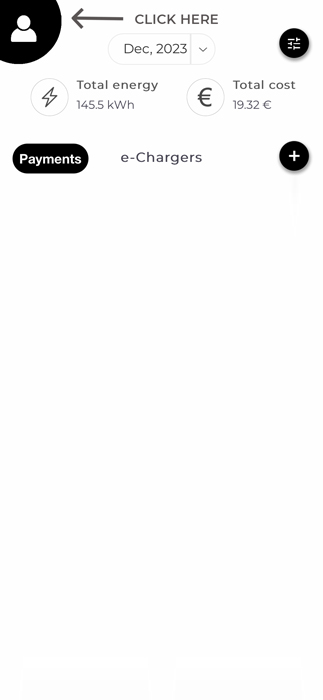
On the main screen of the V2C application go to the user configuration, by clicking on the button with a user icon in the top left corner.

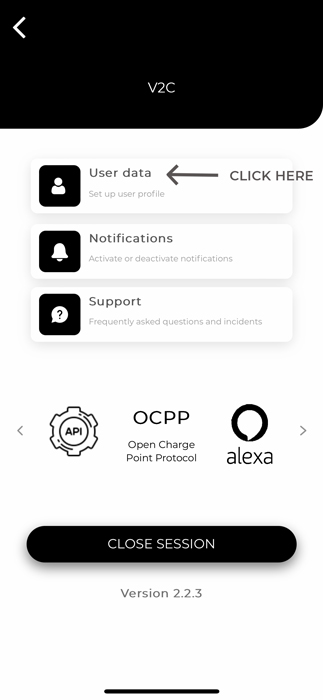
Then click on ‘User data’.

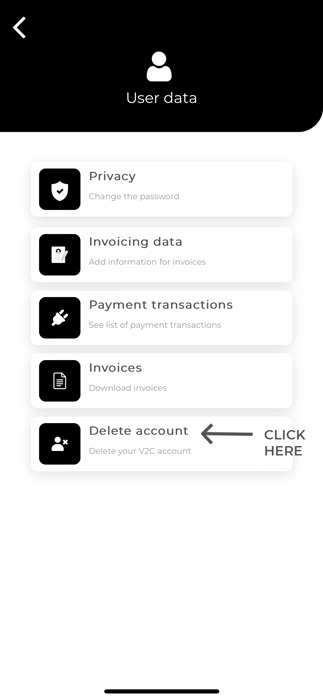
Click on ‘Delete account’.

Finally to verify that you want to delete your V2C account permanently and all the e-Chargers associated with that account click on ‘YES, I WANT TO DELETE IT’.
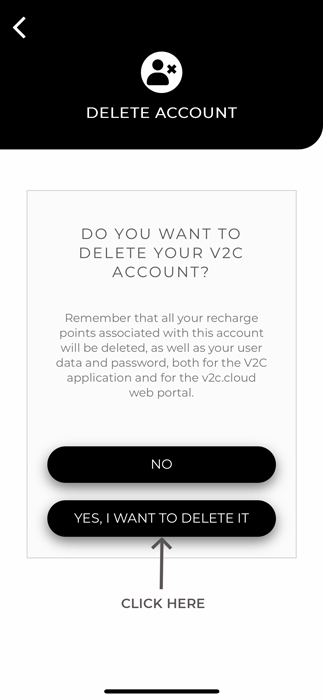
This action will remove the following types of user data:
- Your personal information, user name (email address) and the user’s UID will be removed from the Firebase database.
- Location, any locations stored on the e-Chargers associated with the user’s account or on the user in order to properly use the BLE functions will be removed from our database.