
Integration of the Growatt inverter with Trydan

Growatt inverters can communicate with the Trydan e-Charger using the Modbus RS485 protocol. This enables stable communication and maximizes energy efficiency when charging an electric vehicle.
Wired Connection to the Growatt Inverter
The connection with Growatt inverters is established via the Modbus RTU protocol (RS485-Modbus), requiring an RJ45 cable from the inverter to the Trydan charger.
Where to Connect
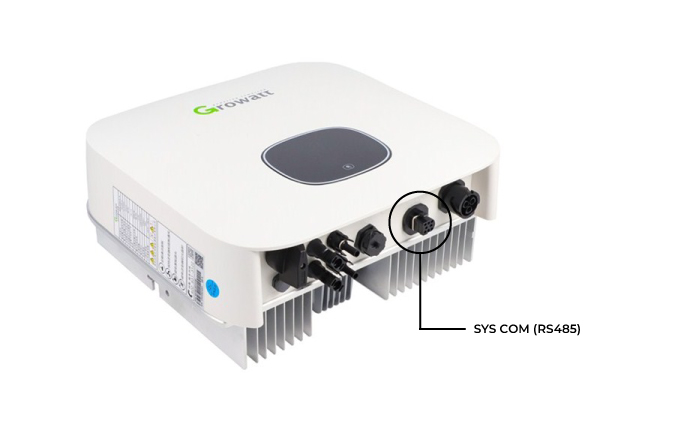
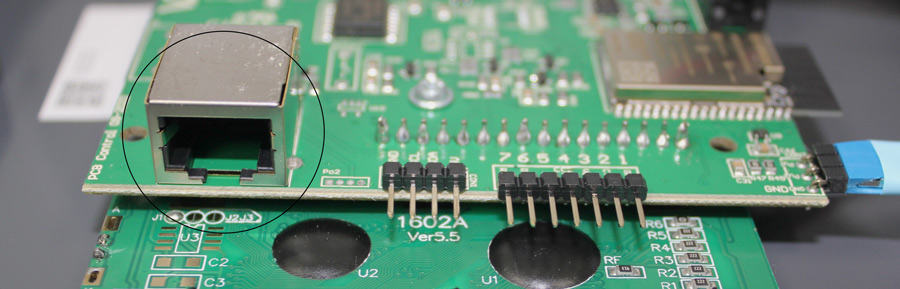
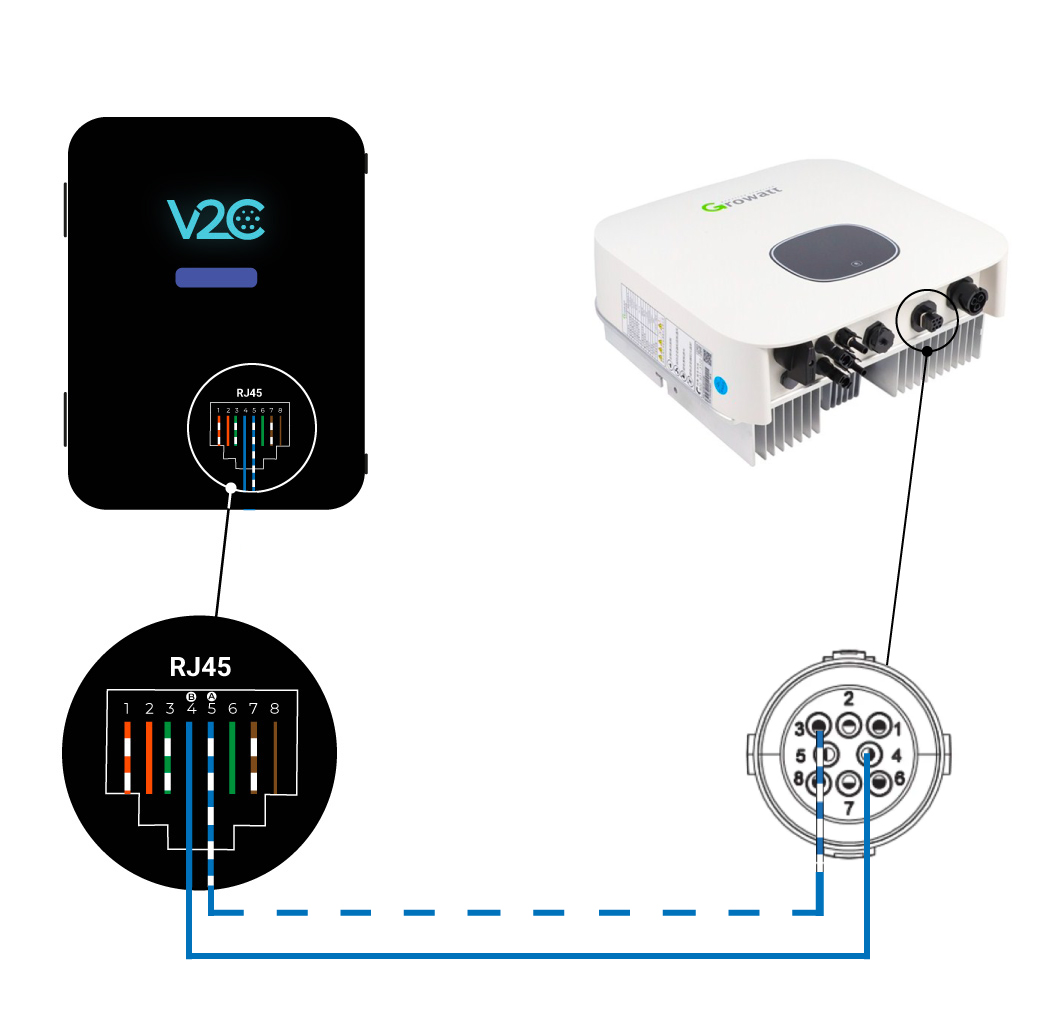
How to Connect
- The A cable should connect from pin 3 of the inverter to pin 5 (white-blue) of the Trydan charger
- The B cable should connect from pin 4 of the inverter to pin 4 (blue) of the Trydan charger

Configuring the Growatt Inverter in the V2C Cloud App
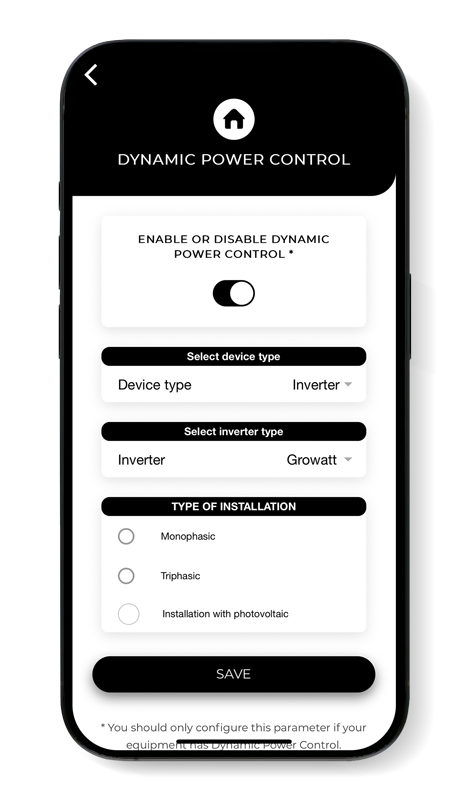
Open the V2C Cloud app, select the charging point, and go to the Settings section.
Navigate to Dynamic Power Control and select Inverter in the “Device Type” tab. Choose Growatt under “Inverter Type” and select the appropriate installation for each situation.
Saving the configuration is essential to ensure the correct operation of dynamic power control.
Once configured, you can further customize it based on specific requirements.
Do you need technical support?
Resolve your issue instantly through our AI Chat. If it is not resolved, submit a request via the Technical Support Centre and we will contact you as soon as possible to provide the best solution.