
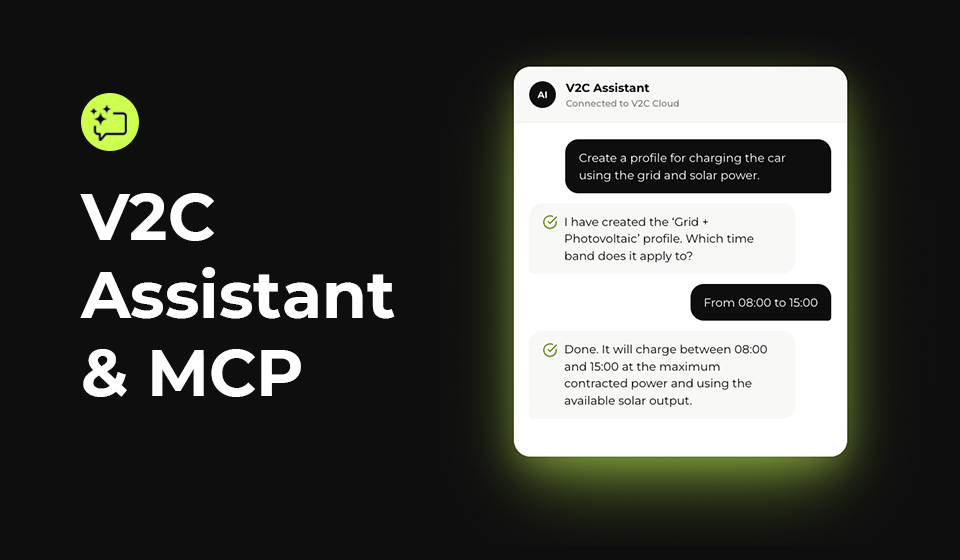
Introducing V2C Assistant, an artificial intelligence assistant that answers questions, diagnoses issues, and, by linking your V2C Cloud account, performs real actions on your charger: creates charging profiles, configures power control, or schedules times. And for those who already use AI assistants like Claude, ChatGPT, or Gemini, we also launched V2C MCP, the connector that brings these same capabilities to the conversation they are already having.
Table of Contents
What is V2C Assistant
V2C Assistant is an artificial intelligence chat available directly on our website and on the V2C Cloud platform (mobile and web version). You can use it without any registration to resolve questions about your charger or understand why it is not charging at a given moment. And if you link your V2C Cloud account, it stops being just a consultant: it starts to act directly on your installation.
Some examples of what you can ask for
Without linking any account, you can ask it things like:
- “How do I create a new charging profile?”
- “How do I schedule a charge?”
- “Why isn’t my charger charging right now?”
And once your V2C Cloud account is linked, the assistant can perform actions such as:
- “Create a charging profile ‘Grid + Photovoltaic’”
- “Set the contracted power to 4.6 kW”
- “Schedule charging between 11:00 PM and 6:00 AM”
Try it right here
Find more information about V2C Assistant at v2charge.com/es/v2c-assistant.
V2C MCP: the same technology, inside your favorite AI assistant
Together with V2C Assistant, we launched V2C MCP, an open connector based on the Model Context Protocol standard that allows assistants like Claude, ChatGPT, Gemini, or Grok to access the real data from your charger and act on it, without leaving the conversation you already use daily.
The logic is the same as that of V2C Assistant — ask and, if you authorize it, act — but integrated into the assistant you already have installed, instead of in a separate chat. Access is authorized through OAuth 2.0 with your V2C Cloud account: the AI never sees your password, and you can revoke access at any time.
Find more information about V2C MCP at v2charge.com/es/mcp.
How to get started
- To talk to your charger from the browser, go to V2C Assistant and ask whatever you need.
- To use it from Claude, ChatGPT, Gemini, or Grok, follow the connection guide at V2C MCP.
- In both cases, for you to be able to act on your charger —not just respond— you will need to link your free V2C Cloud account.
With this launch, managing your charging no longer depends on finding the right menu in an app: just say what you want to achieve.