V2C Cloud updates
We work continuously to improve the services of our platform. Check all V2C Cloud updates, both in its mobile and desktop version.
 V2C Cloud app
3.3.2Latest version
- NewNew dark mode built into the app: all screens adapt correctly to the dark mode of your phone.
- NewNew appearance screen (Settings > User data > Appearance) to choose between Automatic mode (follows the phone), Light or Dark.
- NewNew QR and barcode reader, faster and more reliable, to identify the e-Charger in Payments and during pairing.
- NewClearer error messages when signing in incorrectly.
- ImprovedCleaner app startup, without the initial white flash.
- ImprovedFixed double margins and grey bars on Android 14 and earlier when leaving and returning to the application.
- ImprovedLighter app: significant reduction in its size thanks to image and code optimization on Android.
- CompatibilityThe app now requires Android 8.0 or later.
- Updated"No injection or isolated" mode in charging profiles: the minimum power becomes 300 W, since a lower battery discharge is insufficient, with a warning if a lower value is entered.
- FixedFixed an issue where newly created charging profiles could disappear when refreshing the main screen.
- FixedFixed the scheduled charging modal (Classic and EcoCharging), which now adjusts to display all its content without needing to scroll.
Earlier versions 29
-
- NewNew V2C in-house notification system, more reliable, and request for notification permission in recent versions of Android.
- NewNew languages available: Polish, Lithuanian, Simplified Chinese and Czech.
- NewNew favorite e-Chargers list in Payments: save your usual e-Chargers under any name you like to start charging in a single step.
- NewThe V2C e-Chargers shown on the map already allow you to start charging directly through V2C Payments.
- NewYou can filter the map by V2C e-Chargers.
- NewNew compatible inverters for dynamic control: SolPlanet, Hoymiles and Huawei with direct WiFi connection (available for Trydan version 2.5.2 or higher).
- NewHome battery management extended to more inverters: Sigenergy (from version 2.5.1), and GoodWe, SolarEdge and SolPlanet (from version 2.5.2).
- NewNew alert on Pole Pro when the cable meter does not respond (Error 3), available from version 6.1.0.
- NewNew explanation of how mixed charging mode works in Special options.
- NewThe main screen now shows the name of the charging profile in use.
- NewThe statistics now correctly show negative costs.
- NewThe virtual assistant button can be docked to the side of the screen and restored whenever it is needed.
- NewNew explanatory message when sharing an e-Charger with an email address that does not have a V2C account.
- NewVisual improvements across the entire application: system bars, top margins and adaptation to different mobile device models.
- ImprovedFaster app startup and lower resource consumption.
- ImprovedNew date picker design for the global statistics and for each e-Charger.
- ImprovedImproved Bluetooth connection stability, preventing freezes when connecting, when checking the power settings and when opening the e-Charger options.
- ImprovedGreater session stability: unexpected logouts are avoided after keeping the app in the background for a long time, and lock-ups when signing in on iPhone are prevented.
- ImprovedPole Pro network configuration, now more secure: validation of the WiFi network and static IP, the APN does not accept accents, and the presentation of the 4G SIM card has been improved.
- ImprovedCorrections to tariff names and tariff display, plus new colors to better distinguish periods when editing the electricity tariff.
- ImprovedInternal optimization to reduce the size of the application.
- UpdatedV2C Payments: now only the e-Charger administrator can activate it, and when doing so, the location of the charging point is selected.
- UpdatedV2C Payments: new warning before continuing if the e-Charger has no Internet connection or does not allow charging at that time.
- UpdatedThe charging priority between the car and the battery is only shown when the installation includes an inverter or the Huawei EMMA meter.
- UpdatedCompatibility with the new language format in the latest firmware versions of the e-Chargers.
- FixedFixed the statistics list on iPhone, which could appear cut off.
- FixedCorrected the minimum power displayed when it is below 1 kW on Denka.
- FixedFixed an internet connection warning that was being displayed without cause.
- FixedFixed an error when selecting car models whose name contains the # symbol.
- RemovedThe app no longer requests background location permission, as it is no longer necessary.
-
- NewImprovements to V2C Assistant: a new information screen to better explain how the assistant works.
- NewImprovements in Dynamic Control: Shelly Pro devices are also compatible with V3.
- NewImprovements to battery configuration: the interface of the option that prevents the charger from discharging the home battery has been improved, making its operation clearer.
- NewNew compatibility with Sigenergy: added Sigenergy as a compatible inverter for battery control in the charging profiles.
- NewNew Solarman inverter discovery: added a system to automatically detect available Solarman devices during setup in Dynamic Control.
- NewSolarman discovery via Bluetooth and Wi-Fi: the new system lets you perform discovery using the available connections.
- NewImprovements to Solarman configuration: discovered devices are now displayed individually to make them easier to select and configure.
- ImprovedImprovements to scheduled charging: optimized the operation of the time indicator during scheduled charging sessions.
- ImprovedNew error handling: improved the behavior of certain app calls when status errors occur.
- ImprovedImprovements in Oasys: optimized data persistence to correctly retain configuration settings.
- ImprovedImprovements to AutoCharge management: updated the name and presentation of the AutoCharge feature.
- ImprovedImprovements to sharing: additional information added to the sharing screen to make it easier to understand.
- ImprovedVisual improvements in the Solarman discovery flow: improved states, animations, messages and confirmations during the search process.
- ImprovedGeneral improvements: the application has been optimized and various bugs have been fixed to deliver a more stable experience.
- UpdatedImprovements to charging profiles: maximum configurable power increased to 12 kW for single-phase installations and 36 kW for three-phase installations to make configuration easier for French users.
- UpdatedNew support area: access to the support area has been updated.
- FixedImprovements to charger sharing: fixed an issue that could cause errors when sharing a charger.
- FixedMap improvements: Added token and updated the access used for the maps to ensure their correct operation.
- FixedImprovements to inverter configuration: fixed several cases related to the configuration and validation of connection parameters.
- FixedStability improvements: several issues detected during the final review have been fixed, such as the change of Charging type in special options not being performed correctly via Bluetooth.
-
- NewNew password for OCPP in the advanced options for a more secure configuration.
- NewNew notice when location permission is not granted, to make device setup easier.
- NewNew reminder in the chatbot to allow movement when necessary.
- NewImproved authentication stability, preventing simultaneous token requests and enhancing internal token management.
- NewA safety timeout has been added when obtaining the token to prevent blocking in exceptional cases.
- NewNew Sigenergy configuration guide via Modbus TCP to simplify commissioning of the inverter.
- NewNew link to the Sigenergy setup guide when selecting this inverter in dynamic power control.
- NewCompatibility with Sigenergy in dynamic power control, correctly identifying it as an inverter.
- NewNew compatible models of Azzurro and SofarSolar inverters.
- NewNew notice to restart the Alva when necessary to complete the configuration correctly.
- NewMore precise Bluetooth error messages when it is not possible to connect to the charger.
- NewNew Ingeteam inverter models and validation of connection data to simplify their configuration.
- NewSelection of charging type available in Special options (Available for Trydan version 2.5.0 or higher).
- ImprovedImprovements to the Bluetooth connection of the Alva, with faster and more stable communication.
- ImprovedThe chatbot now offers more useful recommendations, with questions tailored to your setup and situation.
- ImprovedImprovements to smartphone configuration and translation of the texts related to pairing.
- ImprovedImprovements to the Dutch translations to deliver a more consistent experience.
- ImprovedGreater control over sending statistics when retrieving them via Bluetooth, preventing issues when the data is corrupted or incomplete.
- ImprovedInternal optimization of the app to reduce its size and improve compatibility with the latest Android recommendations.
- ImprovedImproved sensitivity of the charging profiles to avoid changing the segment when clicking.
- ImprovedImprovement to adjust charging profile times with precision, if desired.
- ImprovedImproved management of the dynamic control data for the Alva, correcting errors during its query.
- ImprovedGreater robustness when synchronising the time via Bluetooth on the Trydan.
- UpdatedThe battery charging priority message in the charging profiles has been updated to make it clearer.
- FixedImproved precision on some sliders, fixing data submission when they are clicked directly.
- FixedFix for an empty card in the special options.
-
- NewShow prioritising household battery charging in the charging profiles (version 2.5.0 or higher).
- NewAdd detailed information on battery priority in charging profiles.
- NewAdded EMMA as a compatible inverter to prevent battery discharge.
- NewIdle fee added in Payments.
- NewAdded COM address to the EMMA meter.
- NewConnection type sent to ALVA.
- FixedFixed a bug when opening the pop-ups.
-
- NewAdded integrated AI chatbot.
- NewAdded charging session completion log under Special options for Trydans (firmware version 2.5.0 or later).
- NewAdded new custom tariff by time periods.
- NewOasys chart data displayed as on the website.
- NewAdded new "Battery level" field to the Oasys chart.
- NewAdded a search feature for when a user has many chargers (more than 10).
- NewPagination for retrieving large quantities of cards and eKeys via Bluetooth.
- NewThe maximum charging current limit message for the connectors on Alvas will be 640A because they have two sockets.
- NewImprovements to the RFID design, pagination, search engine and differentiation by type.
- NewDisplay the version number the firmware will be updated to.
- NewChecking whether Bluetooth permission is enabled and notifying the user.
- NewLimited-current message on the screen for 16-ampere models.
- NewChint available by version for Denka and Pole chargers.
- NewNew GIF added to show battery discharge and photovoltaic production.
- ImprovedNew and improved UX for charging profiles.
- ImprovedImproved UX for the Energy Tariff screen, for custom tariffs.
- ImprovedImprovements and optimization of calls made during a Payments transaction.
- ImprovedGeneral Bluetooth improvements.
- ImprovedImproved design of the User Management screen and the option for the administrator to remove the charger from there.
- ImprovedMaximum charging current limited for the connectors and improved user experience.
- FixedAvoid negative values in Oasys charts.
- FixedFixed inconsistent colours in the Oasys charts.
- FixedImproved UX of the password change button to prevent multiple clicks.
- FixedFaster app startup when accessed without network coverage.
-
- NewBattery discharge management notice for Ingeteam in its external application.
- NewThe administrator can see whether the charger is being managed by an installer. Other users can see who the administrator is.
- NewNew label in the capacity data.
- NewDetailed explanations have been added to all the battery fields.
- NewUpdate to version 2.5.0 to include compatibility with battery discharge.
- NewSafety alerts have been added to warn the user to be careful when pressing certain sensitive functions.
- NewGrid management has been added to the Oasys settings.
- ImprovedImprovement across all Oasys screens
- ImprovedImprovements in the app (v2c): The energy tariff has been added to Oasys.
- UpdatedValidation of RFID and eKey length (at least 3 characters).
- UpdatedThe Ingeteam and EMMA inverters have been removed from the list of compatible inverters for battery discharge.
- FixedThe fix addressed an error when displaying the message "Evitar descarga de batería".
- FixedFixed an error when saving the settings with the Goodwe inverter.
- FixedFixed an error where the main method kept running in a loop even after leaving the screen.
- FixedThe power limit issue on Denka has been resolved (hidden, but completed).
- FixedCharging current has been permanently hidden on the payment screen.
- FixedA possible security vulnerability has been resolved.
-
- NewThere is a charge in progress indicated in the statistics.
- NewNow the names of the RFID cards appear in the statistics.
- NewFinished main battery screens with real data.
- NewAdded checkbox to prevent battery discharge from version 2.4.7 onwards for some inverters
- ImprovedGreater robustness in the firmware update display (The update option will only appear if the current version is strictly lower than the latest stable version in production).
- UpdatedAllow editors to modify the energy tariff.
- FixedFixed error in the GIF without FV.
-
- NewSeparation of Azurro and Sofar Solar inverters.
- NewPrevention of overly long codes in RFID or eKeys and improvement of the user experience.
- NewNew Azurro inverter.
- NewImproved fluency in the map menus.
- NewIncreased modal size to improve data display.
- NewNew improved statistics design.
- NewAdded new Huawei EMMA meter.
- NewInverter type renamed to Sunny SMA.
- NewAdded vehicle registration plate.
- NewAdded the type of solar PV energy used in your charging profiles at each moment in the GIF
- NewPagination completed for RFID on Denka and Pole Pro
- NewNew Fronius types limited to versions above 2.4.2
- ImprovedImproved display of electric vehicle details.
- ImprovedImprovement in the Italian translations.
- ImprovedGeneral translation improvement.
- ImprovedUsability improvements and repositioning of buttons in EcoCharging
- ImprovedImprovement in Payments data sampling
- FixedFixed the autocharge status check (it should not be performed in that case).
- FixedFixed an error in the electric vehicle data.
- FixedToken endpoint update across the entire app.
- FixedFixed an error on the options screen with MAC addresses on Poles.
- FixedImproved compatibility with large-screen devices.
- FixediOS safe-area settings.
- FixedFixed an end-to-end issue on Android 15.
- FixedUpdating end-to-end obsolete APIs.
- FixedAdded safe areas to avoid overlaps with system bars.
- FixedCritical security vulnerability fixed in Android.
- FixedHidden charge target if the version doesn't include the required update (2.4.3)
- FixedFixed a bug when trying to update firmware over local Wi-Fi.
-
- NewAdded information on the cost during charging for users with photovoltaic systems.
- NewMapbox token change for map search.
- ImprovedBluetooth connection acceleration.
- ImprovedImproved design of the BLE pairing.
- ImprovedRefactoring
- ImprovedBluetooth connectivity optimization on iOS.
- ImprovedContextual translation improvements across all languages.
- UpdatedChange in the location of the V2C Business Panel, now in the main settings.
- FixedFixed a bug when configuring V2C Business Panel.
- FixedFixed a bug in the charge target checkbox.
- FixedFixed a bug on the RFID/eKeys screen for the Alva units.
- FixedFixed a bug where the map menus overlapped the notch on iPhones.
- RemovedSecondary unit update hidden
-
- NewFinished and fully functional widget on Android and iOS.
- NewAdded AI chatbot for frequently asked questions.
- NewExplanation and notice for the Linky meter.
- NewNew protocols for Goodwe inverter.
- NewNew links for the new "Informational videos".
- NewNew screen for pairing chargers via Bluetooth proximity.
- NewNew screen to configure the time zone.
- NewAdded Alva to the model lineup
- NewNew option to link your e-Charger with a company.
- NewTwo new subtypes for the Fronius inverter.
- NewNew tariff for France: EDF Tempo
- ImprovedBest UX design for classic scheduled charging.
- ImprovedImproved data transmission and alerts for dynamic power control.
- ImprovedRefactoring of part of the code.
- ImprovedImprovement of some incorrect labels in all languages.
- ImprovedImproved the display of the emergency button pressed alert on Denkas.
- ImprovedImproved display of more specific errors when sharing a charger.
- UpdatedLibrary updates on iOS.
- UpdatedNew design for adding information about your electric vehicle
- FixedStatistics use the start date as the reference, so that they appear within a given time interval.
- FixedFixed a bug when entering an empty SSID on Poles and on iOS.
- FixedGerman translations corrected.
- FixedFixed the map bug on iPhones.
- FixedFixed a bug in the display of costs in the statistics.
-
- NewAdded alert for emergency button activated on Denka.
- NewAutocharge feature: List of authorized vehicles for Denka.
- NewNew flow in the photovoltaic diagram.
- NewShare charger directly via email.
- NewImprovement in the logs for uploading statistics manually.
- ImprovedImprovement of the charging skeleton on the home screen
- ImprovedBetter explanation of current per phase
- ImprovedImprovement of Italian translations
- ImprovedRemoved orientation restriction for greater compatibility with some tablets
- UpdatedLibrary update
- UpdatedFirebase library updated for greater security.
- UpdatedCorrect order of the static IP configuration properties.
- FixedBug fix when updating EcoCharging with a specific time.
-
- NewAdded G2 type to the Goodwe inverter
- NewAdded charging limit on Denka units
- NewBattery capacity display on Denka.
- NewRemaining charging time on Denka
- ImprovedMore space in the bottom menu for some devices
- ImprovedImproved bottom menu view for users with very large font sizes
- UpdatedChanges to the Solis inverter type
- UpdatedChange in the statistics sample: I now take endCharge into account, as the server does.
- UpdatedChanges to server calls, without the trailing slash
- Updated"Wake-up mode" hidden
- UpdatedHidden 'Common registers' type on DEYE inverter
- UpdatedGPS is not an essential requirement to download the App.
- UpdatedIt is no longer necessary to specify the user's area in the electric vehicle settings.
- FixedFixed a bug when retrieving data in Special Options
- FixedMinor bug fixes
-
- NewAllow SIM card data to be recharged without the e-Charger connected
- NewNew warning messages for sensitive functions
- Improved"Overall stability improvement"
- UpdatedChange of the property name to term_resistor
- FixedThe bottom menu no longer overlaps the information
-
- ImprovedTotal improvement of Portuguese translations
- ImprovedTotal improvement of French translations
- ImprovedPartial improvement of German translations
- FixedFixed a bug when changing the power on Denka units.
- FixedBetter error handling on the map
-
- NewPhase map adapted for Trydan
- NewAllow secondary chargers to change the maximum and minimum current
- NewAccess restriction to charging profiles for non-master chargers, and separation of current limits
- NewChange and notice for DEYE inverter types
- NewAdded BUS termination resistor view to dynamic control
- NewImproved data loading on the network screen
- NewLocal load balancing for Trydan, show BUS termination resistor status
- NewImproved robustness in sending statistics over Bluetooth
- NewNew home screen (splash screen) configured and optimized
- NewImproved app restart without fully closing it; new finished designs with customizable background screen
- NewNew logic on the device's home screen
- NewNew data upload design on the home screen
- NewFinished supplier filter
- NewAdded skeletons (modern data loading) on the main screens
- NewNew server calls, transaction grouping and pagination
- NewNew server calls: listing and downloading invoices by type
- NewAdded a clock next to the time in statistics, changed € to a generic currency symbol, and the statistics list now appears under general statistics.
- NewNew DEYE type and added new Linky meter
- NewApp translated into Basque and refactored to make it easier to add new languages
- NewNew energy tariffs added
- NewAdded new screen to confirm free payments
- NewAdded another type for the Goodwe inverter
- NewWarning in the e-Charger restart message
- NewNew tariffs calculate their price correctly on the charging screen
- ImprovedDesign improvements and enhancements across all iPhone screens with Dynamic Island
- ImprovedImprovements to the statistics display
- ImprovedImproved the display of statistics over long time ranges
- ImprovedImprovement in the skeletons
- ImprovedInverters and meters, sorted alphabetically
- ImprovedCompetitive EcoCharging savings price and the ability to resume from any state
- ImprovedEnhancements to the device's main screen
- ImprovedImprovements in LetMeCharge
- UpdatedRefactoring of the main screens
- UpdatedSending the battery capacity as a number instead of a text string
- UpdatedChanged server calls to the new transactions
- FixedHide Modification Type Portugal
- FixedFixed current limits on the main screen and redesigned/refactored the settings screen
- FixedFixed the numeric input type on some inputs that allowed text entry.
- FixedFixed a bug when selecting charging profiles: it always started on "weekdays".
- FixedFixed a bug in the photovoltaic GIF.
- FixedFix in the token refresh
- FixedFixed a bug when displaying the firmware version
- FixedFixed a bug when changing the cache
- Fixed"Do not show the lock if the charger is not connected (Wi-Fi or Bluetooth) and fixed a bug when displaying the power level"
- FixedAvoid screen lock due to internet connection in statistics
- FixedFixed a bug when displaying statistics
- FixedFixed bug in dynamic control, undefined IP
- FixedFixed minor bugs
- RemovedRemoval of unused screens
- RemovedRemoved the card borders
- RemovedRemoved unnecessary elements
- RemovedRemoved the current limit per phase when the charger is single-phase
-
- NewNew permissions and restrictions based on e-Charger model and user role
- NewMaximum and minimum power limit on Denka
- NewAnimation without chargers adapted to the new design
- NewNew dynamic control for Trydans with version higher than 2.3.0
- NewAdded map (Coming very soon)
- NewNew design with bottom menu
- ImprovedCode refactoring for better maintainability
- ImprovedImproved reconnection between main screens
-
- UpdatediOS SDK update to allow publishing.
- FixedFixed a bug in the creation of the EcoCharging plan.
- FixedFixed font size on some screens.
- FixedFixed a bug when selecting static control on the Pole Pro.
- FixedFixed a bug when requesting location on Android 14.
- RemovedFull removal of the load-balancing app between sockets (it is now included in the dynamic control operation).
-
- NewSerial number added to the Enphase inverter.
- NewStats chart added in EcoCharging.
- NewRefactoring of the application and new way of displaying dynamic control according to the version and model of the e-Charger.
- NewAddition of Italian language to Pole Pro.
- NewCo-owners can edit their credit card.
- NewDo not allow configuring charging profiles on a device that is not the Master.
- ImprovedEnhanced Bluetooth calls for Pole Pro.
- ImprovedImproved robustness when retrieving statistics via Bluetooth.
- ImprovedServer Call Refactoring.
- ImprovedTranslation improvements.
- ImprovedGreater robustness when changing a scheduled charge.
- ImprovedPerformance improvement at application startup.
- ImprovedImprovements to the connection setup screen.
- FixedFixed the invoice PDF download.
- FixedFixed a blank screen error when configuring the connection.
- FixedFixed error when updating via local Wi-Fi.
- FixedInconsistency fixed with OCPP: it appeared as enabled when it was not enabled via Bluetooth.
- FixedError fixed when displaying cost in charts with photovoltaic energy statistics.
- RemovedElimination of load balancing between sockets on Poles; it now balances automatically through dynamic power control.
-
- NewAllow deleting e-Charger if Cloud Dynamic Control is enabled and you are not the Administrator
- ImprovedAvoid excessive calls on the main screen with multiple e-Chargers
- ImprovedTroubleshooting errors when editing RFID cards or Bluetooth key fobs
- UpdatedUpdate the Denka's minimum current to 1kW
- UpdatedLibrary updates and performance optimisation
- UpdatedAllow power levels above 100 kW in charging profiles
- FixedFixed a bug when uploading statistics via Bluetooth.
- FixedFixed a bug when retrieving data from Shelly Pro in dynamic control
- FixedFixed a bug when adding the first charging profile via Bluetooth
- FixedFixed a bug when downloading invoices on any mobile device
- FixedFixed white screen bug when adding a Pole
-
- NewNew feature: added "Wake-up mode".
- NewTurn off notifications when you log out.
- ImprovedImprovement in optimization, higher speed.
- FixedFixed a bug when retrieving statistics via Bluetooth with photovoltaic discrimination.
- FixedFixed a bug when updating the reported property when changes are made to a property.
-
- NewStatistics show the cost with solar PV applied, and savings are also displayed.
- NewOption to change the LED brightness
- NewAbility to set a different COM address for the DDSU666-H meter
- NewAdded Fronius inverter types
- NewNew e-Charger Denka added
- NewNew tariffs added (Indexed and OMIE)
- NewNew properties of the Denka e-Charger added
- NewNew inverters added
- NewActivated EcoCharging alert
- NewAdded EcoCharging plan view
- NewDenka feature integration
- NewNow notifications are differentiated by type and can be selected according to the user's preference.
- NewTranslations of all new screens.
- NewSome options are disabled when cloud dynamic control is enabled.
- NewWarning message when changing the OCPP settings.
- NewAdded Deye inverter types to dynamic control
- NewAdded date filter to transactions.
- NewAdded new Shelly pro meter to dynamic power control
- ImprovedImproved French translations.
- UpdatedFirmware update to version 2.2.7
- UpdatedEmail verification submission form updated
- UpdatedText changes for 4G and Ethernet.
- FixedFixed the error when displaying battery charging in the GIF.
- FixedFixed a bug on the RFID screen that would get stuck, loading indefinitely.
- FixedChanged the text on monthly invoices and fixed the default month on invoices.
- FixedFixed error when the server fails to request the MAC, and when the JSON fails to request the reported value via Bluetooth.
-
- ImprovedTranslation improvements
- Fixed"Fixed the issue with the time change when editing hours in charging profiles"
-
- NewAdded the types for the Greenheiss inverter and the SAJ inverter.
- NewAdded an ion-range to the power selection of the charging profiles
- NewNew connectivity options for Trydan Pro (4G and Ethernet)
- NewReboot notice for the e-Charger when Wi-Fi is configured
- NewStatistics refresh for greater robustness
- NewExtension of time to add an e-Key for greater reliability
- ImprovedImprove the translations
- ImprovedImproved user messages on e-Keys
- UpdatedRFID cards and e-Keys can be added, edited and deleted without needing to activate them.
- FixedFixed a bug where the scheduled time did not appear on Pole Pro.
- FixedFixed a time zone bug in charging profiles (it mainly occurred in Portugal).
-
- NewNew tutorial pop-up screen created for cases where something needs to be explained to the user in greater detail.
- NewError handling in charging profiles to alert the user if something has not been saved correctly.
- NewPhotovoltaic aggregated into the charging profiles for Pole Pro.
- NewImproved Bluetooth localization on some phones, and we show an error message if the Bluetooth connection fails.
- NewAdded COM 1 and COM 11 types to the Huawei Chint meter in dynamic power control.
- NewHidden the photovoltaic GIF for the Pole Pro models.
- NewOption to add a free COM address for the Huawei inverter.
- NewAdded the ability to configure a static IP for Pole Pro.
- NewAdded a new message in the GIF for when there is no photovoltaic production.
- NewNew translations added.
- NewAdded user information about configuring the static IP on Pole Pro.
- NewAdded 'car topic' to configure MQTT in dynamic control.
- ImprovedImprovement in the dictionary format (internal code).
- ImprovedImprovement in saving charging profiles: it is no longer impossible to save charging profiles with more than 5 time slots via Bluetooth.
- ImprovedOverall performance improvement of the application and code optimization.
- UpdatedNew per-device notification handling instead of per-account, and unsubscription from them when the pairing is removed.
- UpdatedSwitched the Bluetooth ID storage from localStorage to sessionStorage for more robust connection handling.
- UpdatedName change from "V2C Meter 2.0" to "V2C ControlBox".
- FixedFixed bug sending MQTT username and password in dynamic control.
- FixedFixed a bug when displaying statistics that started at 00:00.
- FixedFixed a bug when switching languages: the save button was sometimes not displayed.
- FixedFixed a bug in the Shelly type submission in dynamic control.
-
- NewShare charger available in 'User management'.
- NewV2C Payments process opens within the same app for a more convenient payment experience for the user. (It does not work if the user has the MI Browser set as the default on their mobile phone; it does work for Google Chrome and Safari.)
- NewAdded a notice to the user to resume charging if V2C Payments is enabled.
- NewNew languages available for Trydan.
- NewDynamic power control and charging profiles available on Pole Pro.
- NewAdded Trydan compatibility with Enphase inverter.
- NewAdded Trydan compatibility with P1 meter.
- NewAdded Trydan compatibility with Modbus feeder meter.
- NewAdded new additional configuration options for MQTT.
- NewDifferentiation of types for Solis inverter (With or Without batteries).
- NewAdded the Romanian language to Trydan.
- NewAdded phase map configuration on Pole Pro under Special options.
- NewImplementation of DeadLetters for logging background user errors.
- NewPower tiers with current limit for Pole Pro.
- NewAdded no-meter option in dynamic control for Pole Pro.
- NewImportant notices when changing dynamic control to improve UX.
- NewNew screen, list of available slaves for Pole Pro when acting as Master.
- ImprovedFaster charging from the configuration while offline.
- ImprovedImportant improvement in the stability of the Bluetooth key fobs, both over WiFi and over Bluetooth.
- ImprovedImproved design of the Special Options.
- ImprovedImproved Bluetooth search and location on iOS.
- ImprovedImproved some Bluetooth methods.
- ImprovedUX improvement when changing the e-Charger name.
- ImprovedImproves Bluetooth stability on Pole Pro.
- UpdatedChange from kW to W for battery discharge.
- UpdatedChanged "Dynamic control configuration" to "Charging profiles".
- UpdatedName change: the Bluetooth key fobs are now called e-Keys.
- UpdatedIncreased Bluetooth scan time on the main screen.
- FixedFixed a bug when refreshing without any chargers.
- FixedFixed a bug where the mobile back button did not work correctly on some screens.
- FixedUpdating the RFID card or key fob list when activating them.
- FixedImproved invoice view in English.
- FixedDo not allow deleting e-Charger if the user is offline.
- FixedAllow the charger to be enabled from inside with the self-locking feature activated.
- RemovedDeleting the Parking message in V2C Payments when the parking is free, to avoid confusion.
-
- NewAdded an alternative SolarEdge meter to the Dynamic Control.
- NewAdded confirmation before updating Firmware.
- NewMore and better translations.
- NewError handling in Payments.
- NewAdded new Google Home image.
- ImprovedImproved connectivity and Wi-Fi reception on the home screen.
- ImprovedOffline configuration screen will load faster.
- UpdatedConsolidate RFID card activation and editing on a single screen. (The same applies to Bluetooth key fobs.)
- UpdatedChanged Huawei-type to COM address.
- UpdatedSend to the home screen after restarting the e-Charger.
- UpdatedChange when we make a free transaction in Payments.
- Updated"Do not allow changes to Payments when there is no Internet connection."
- FixedFixed a bug that asked for the Huawei type for any meter or inverter.
- FixedFixed a bug when displaying statistics for charging sessions carried out between 22:00 and 00:00.
- FixedFixed a bug when entering an empty power tier name.
- FixedFixed a bug in Payments with the free rate.
- FixedFixed a time zone bug in the statistics.
- Fixed"Fixed small bugs."
-
- NewThere is now a new type of photovoltaic system in the power tiers, called "No injection or isolated".
- NewThe power tiers are stored on the server and in the cache to ensure correct operation on any device and in any situation. (With internet, without internet, with Bluetooth, etc.)
- NewAdded Bluetooth key fobs for the Trydan.
- NewAdded informative messages to the user for a better user experience.
- NewThe token is only requested once per minute or when entering the application, and it is cached for better speed (previously it was requested with every HTTP call).
- NewAdded the option to restart the e-Charger in "Special options".
- NewGoogle Home is now available, and the corresponding information has been added to the app.
- NewStronger error control in some posts for greater transparency for users.
- ImprovedImprovement in the retrieval and upload of statistics via Bluetooth.
- ImprovedImproved stability of some Bluetooth connections
- ImprovedImproved the design of the Payments screens.
- UpdatedThe value will not be shown in the solar PV GIF if the data is 0 or null.
- UpdatedIf the device language is Basque, the app will default to Spanish (previously it defaulted to English).
- FixedFixed the photovoltaic GIF that would freeze on some iOS devices.
- FixedMinor bug fixes.
-
- NewAdded the IP address to the WiFi information.
- NewTake the parking cost into account after charging with V2C Payments.
- NewShelly static IP explanation.
- NewReal-time updates of payment status on the main screen.
- NewNew inverters added.
- NewChange in Shelly inverter rates.
- ImprovedImproved Bluetooth reconnection on the main screen on iOS.
- ImprovedDifferentiated the option between swiping and clicking to lock the charger.
- ImprovedImproved Bluetooth stability for certain calls that sometimes failed.
- UpdatedLarger button for payments without chargers.
- UpdatedCorrected new QR format.
- UpdatedAbility to modify OCPP via Bluetooth on Trydan.
- UpdatedDesign change on the V2C Payments screen
- FixedFixed push notifications on iOS.
- FixedFixed the Google login issue on iOS when sharing the charger.
- FixedFixed error with the PVPC 2 format.
- FixedFixed an error when modifying tariffs.
- FixedFixed an error in the download of payment invoices.
-
- NewNew inverters added
- New"New notice if you have successfully obtained the statistics via Bluetooth"
- NewNow location is only required with Bluetooth turned on
- NewTake the batteries into account in the photovoltaic GIF
- ImprovedGreater consistency in data sending and receiving via Bluetooth
- ImprovedDon't let the user enter an empty RFID name and new translations.
- FixedFixed the retrieval of statistics via Bluetooth.
- FixedFixed the bug with the photovoltaic GIFs
- FixedFix for the notifications
6 of 29
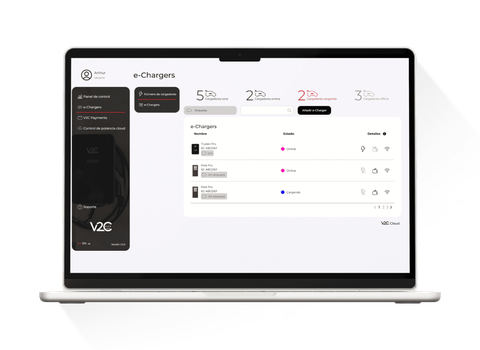 V2C Cloud web portal
4.1.1Latest version
- NewActivate or deactivate the default rate for each e-Charger in Payments.
- NewEcocharging plan available for Oasys batteries.
- ImprovedUpload your own invoices in the Invoices section of Payments.
Earlier versions 44
-
- NewMandatory location for e-Chargers in Payments.
- NewMake the charger public from Payments so that it is visible on other platforms.
- NewAssign a different rate to each group in Payments.
- NewMonthly fee rate within Collective Charging.
- ImprovedNew design for the Payments platform.
- 4.0.4ImprovedNew way to configure the Ingeteam inverter.
-
- NewItalian tariffs.
- 4.0.2NewRates by periods.
- 4.0.1NewBattery prioritization in charging profiles.
-
- ImprovedNew design of the portal v2c.cloud.
- ImprovedSupport for viewing on mobile devices.
-
- NewNew Sofar Solar inverter.
-
- NewSelect time zone, manually or automatically.
- NewNew Huawei Emma inverter.
- NewNew Azzurro inverter.
- ImprovedIncrease in code size on RFID cards.
-
- ImprovedNew rates added.
-
- ImprovedNew PDFs in Spanish and English in Payments.
- FixedCharging power limit on Denka.
-
- NewCharging stops upon reaching the selected percentage for Denka models.
- NewTPV icon.
- NewPossibility to see more chargers on the main page.
- NewCalculator in Payments rates.
- ImprovedSelection of the auto-lock time for Trydan with version 2.3.25 or higher.
-
- ImprovedChange in design when adding/modifying rates in Payments.
-
- FixedBug fixes in cloud installation.
-
- FixedFixing errors in RFID cards.
-
- NewCatalan language added.
- FixedBug fixes in the cloud power control.
- 3.2.12FixedFixing errors in power control profiles and in the meter list.
-
- UpdatedImprovement in RFID cards to manually support 14 characters.
- 3.2.10FixedError fixing
-
- NewFiltering by status (online/offline) available for e-Chargers.
- ImprovedVisualization of the e-Chargers version on the homepage.
- 3.2.8ImprovedGrouping of types in Payments invoices.
-
- FixedFix when filtering date range in Payments and dashboard.
-
- ImprovedIncrease in the maximum number of power control profiles.
-
- NewItalian language in Pole Pro.
- UpdatedOptional OCPP customization properties in Pole Pro.
-
- ImprovedCreation of more intuitive power profiles.
-
- ImprovedImproved visual aspect when creating power profiles for cloud power control.
- UpdatedGreater reduction in the cloud power control zoom and the option to reset zoom changed to center the installation.
-
- ImprovedAbility to download statistics as a .xlsx file.
- FixedFixed various minor bugs.
-
- ImprovedAdded a waiting indicator when saving an installation in cloud power control.
- UpdatedModified text and color according to the state of the e-Charger in cloud power control.
- FixedImages of e-Chargers in installation view in cloud power control.
-
- NewRight-click menu in cloud power control.
- NewSelect, copy, paste, duplicate, and delete multiple elements in cloud power control.
- ImprovedMove and zoom in on an installation with the mouse wheel in cloud power control.
- UpdatedThe upper power limit in the charging profiles has been modified.
- FixedFixed various minor bugs.
-
- NewAdded Basque language
- ImprovedPerformance improvement on the e-Chargers page and control panel
- UpdatedNew way to display the details of the e-Chargers
- FixedFixed various minor bugs.
-
- NewRight-click to delete an active item during the creation or editing of an installation in cloud power control.
- NewThe customer's email appears when downloading the transaction table from V2C Payments.
- ImprovedImproved interaction between elements during the creation or editing of an installation in cloud power control to avoid impossibilities.
- UpdatedV2C Payments transaction table sorted by date in descending order.
- FixedFixed various minor bugs.
-
- UpdatedNew validations when creating rates in V2C Payments.
- FixedFixed errors in displaying the power control settings.
- 3.1.0NewNew design of the portal v2c.cloud
-
- ImprovedGreater speed also on the main screen, and in the charging of the user's e-Chargers.
- ImprovedChange the configuration to parallel for faster data loading.
- UpdatedAll the inverters and meters available in the App have been added.
- FixedFixing various bugs, updating and improving translations and user experience.
-
- NewAdded list of wifi networks
- NewAdded hamburger menu for better visualization of the canvas in smart charging.
- NewAdded shared user management
- NewAdded translations
- NewAdded user help for CSV download
- NewRomanian language added
- NewAdded the partner creation form
- ImprovedCharging acceleration of the e-Chargers
- UpdatedChange the navbar to black
- FixedFixed issue with the smart charging zoom.
- 2.0.0NewAdded Smart charging
-
- NewAdded invitations to customers
- UpdatedImage tags also translated
-
- NewAdded to the main screen charger in payment mode or not with icon
- NewNew translations added
- UpdatedNew design of the main screen
- FixedFixed bug with colors changing upon logout
- FixedInvoice issue, the correct one was not downloading.
- FixedTransactions are now resolved quickly, and there is a change in the format of the rates.
- FixedResolved issue in payments with the tabs that were moving.
- FixedFixed 'Update software' and bug with charger statuses.
-
- NewAdded Payments option
- NewInvoices added in the new tab and can be downloaded.
- NewAdded flat rate or customized rate when adding a rate
- ImprovedImprovement in device charging
- ImprovedImprovement of designs to make them responsive on all devices
-
- NewAdded plus charger
- UpdatedAdd charger in the same way as in the app
- UpdatedWe show fewer decimals in the tables.
- UpdatedChange the design of the side menu and some labels.
- UpdatedRemoved donuts and changed design on the screen up button.
- FixedBug fixes and design improvements
- FixedFix letter design and login and main screen
-
- NewAdded software update in the configuration
- NewCost calculation according to the rate
- FixedChanging the rate is done correctly.
- FixedControlled error changing WiFi without connection
- FixedEnergy rate calculation is done correctly.
-
- NewYou can now log in by pressing enter.
- ImprovedCharging screen improves without connection
- UpdatedChange of design if there is no connection
- FixedDynamic power control is adjusted properly.
- FixedGlobal statistics are now updating correctly.
- FixedFixed main screen hours
- FixedCSV data download in the correct format
-
- NewNew, more specific errors indicated for the user and installers.
- FixedBug fixes when linking devices.
-
- ImprovedImprovements in website performance.
- FixedFunctionality bugs fixed.
-
- NewStyle improvements.
- NewCreation of the V2C website.
- FixedBug fixes.
6 of 44