
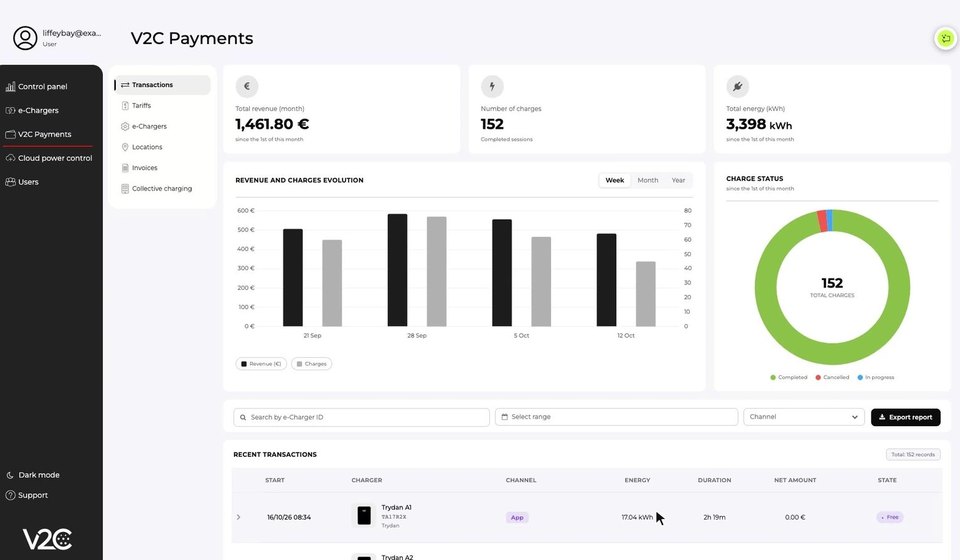
We’ve launched a new version of V2C Payments, more complete and more flexible: tariffs by user group, a new tariff wizard, locations for each charger, public or private chargers, a new transactions and invoices dashboard and collective charging.
V2C Payments is V2C’s free platform for getting paid for charging sessions on your chargers. It’s included with every V2C charger and comes fully preconfigured: no bank paperwork. You set up your tariffs once and receive your income in your account every month. V2C charges a single 5% fee: 95% of every charge goes to you.
Complete guide to setting up and using V2C Payments
Step by step, with screenshots of every screen: tariffs, groups, locations, invoices and collective charging.
Here’s everything that’s new.
Table of Contents
Tariffs by user group
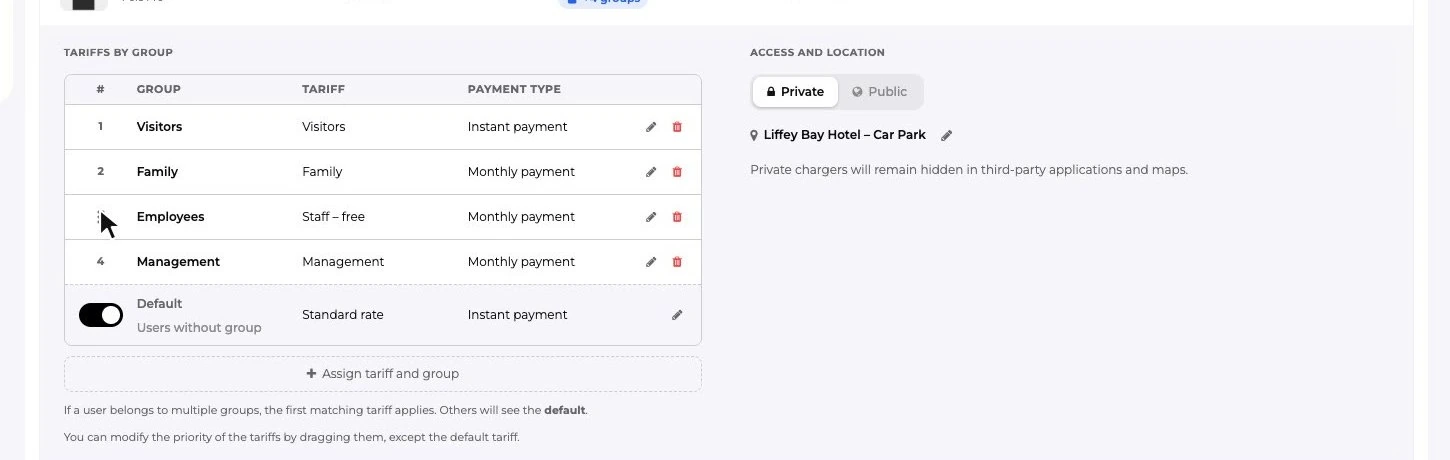
The same charger can apply different tariffs depending on who is charging: free for your employees, one tariff for visitors, another for your family…
Here’s how it works:
- In Users, you add each person with their email and assign them to one or more groups.
- On each charger, you assign each group a tariff and a payment type.
- If someone belongs to several groups, the first matching tariff applies. You set the priority by dragging the groups.
There’s always a default tariff for anyone who isn’t in a group. If at least one group has its own tariff, you can turn off the default tariff so that only your groups can charge.
Free invitations are now a group
The free invitations feature is going away, but your guests won’t notice a thing. In every account we’ve automatically created:
- the “Guests” group, with everyone who had an invitation;
- the “Free invitation” tariff (€0/kWh), applied to every charger that had V2C Payments enabled.
Your guests keep charging for free without you having to do anything. From now on, to share a charger without charging for it, just create a zero-cost tariff and assign it to a group.
New tariff wizard
Creating a tariff is now simpler and much more flexible:
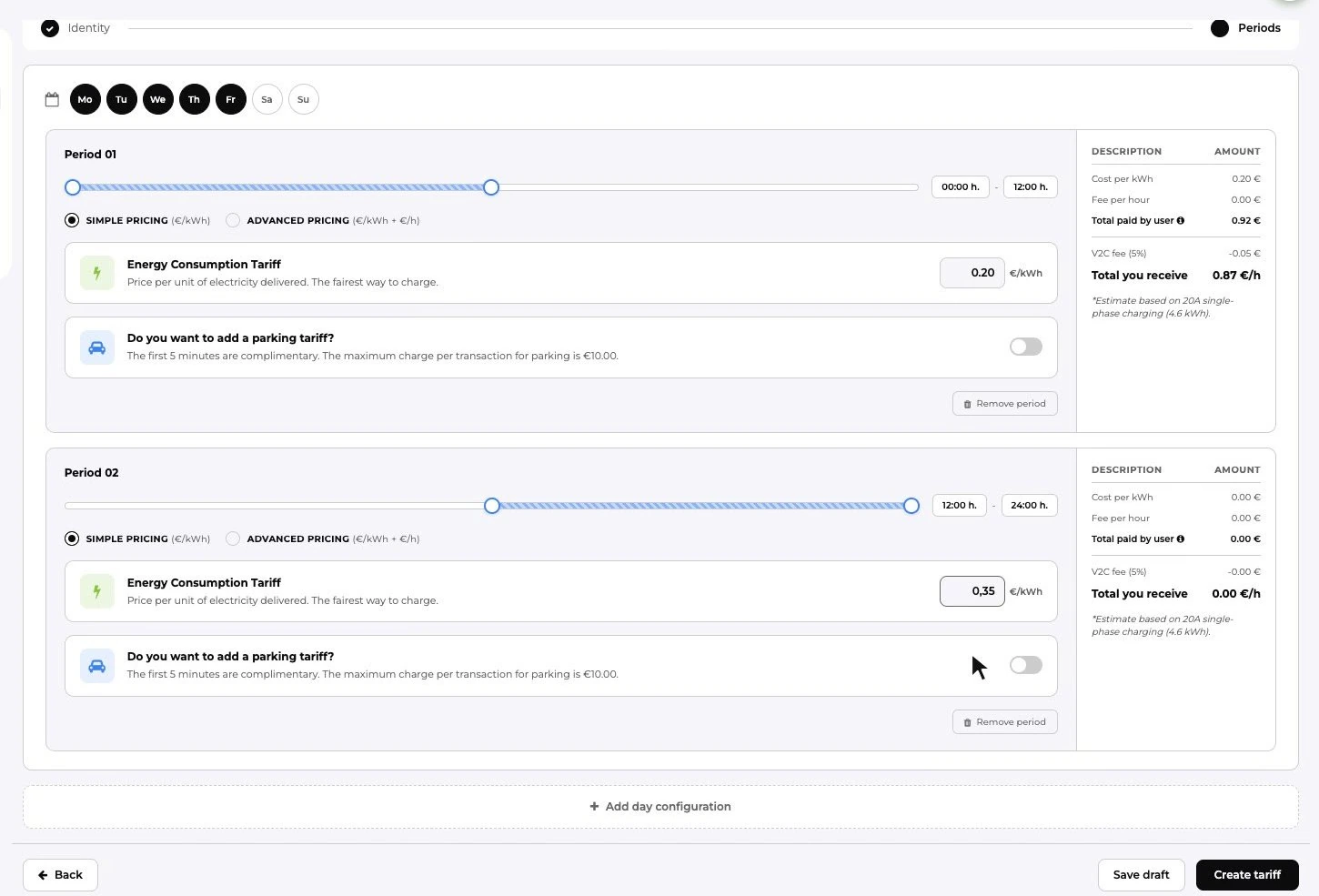
- Prices by day and by time slot. You can create as many periods as you like, as long as together they cover all 24 hours of the day. Each tariff must cover all 7 days of the week.
- Simple or advanced price. The simple price charges for energy (€/kWh). The advanced price adds a fixed price per hour of charger use (€/kWh + €/h). The maximum prices are €1.50/kWh and €4/h.
- Optional parking fee, per minute. It’s charged if the car is still plugged in 5 minutes after charging ends, up to a maximum of €10 per charge. It doesn’t apply to POS payments.
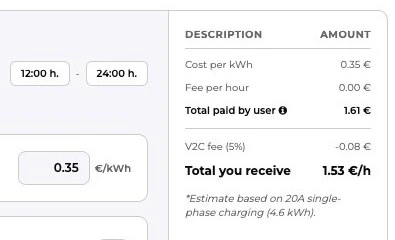
While you set up the tariff, the wizard shows you what the user pays, V2C’s fee and what you receive. Only you can see the tariff name: before starting the charge, the user sees the price per kWh and, if there is one, the parking price.
Example
Monday to Friday: €0.20/kWh until 12:00 and €0.35/kWh for the rest of the day.
Saturdays and Sundays: €0.45/kWh + €0.05/min parking.
Locations and the right taxes
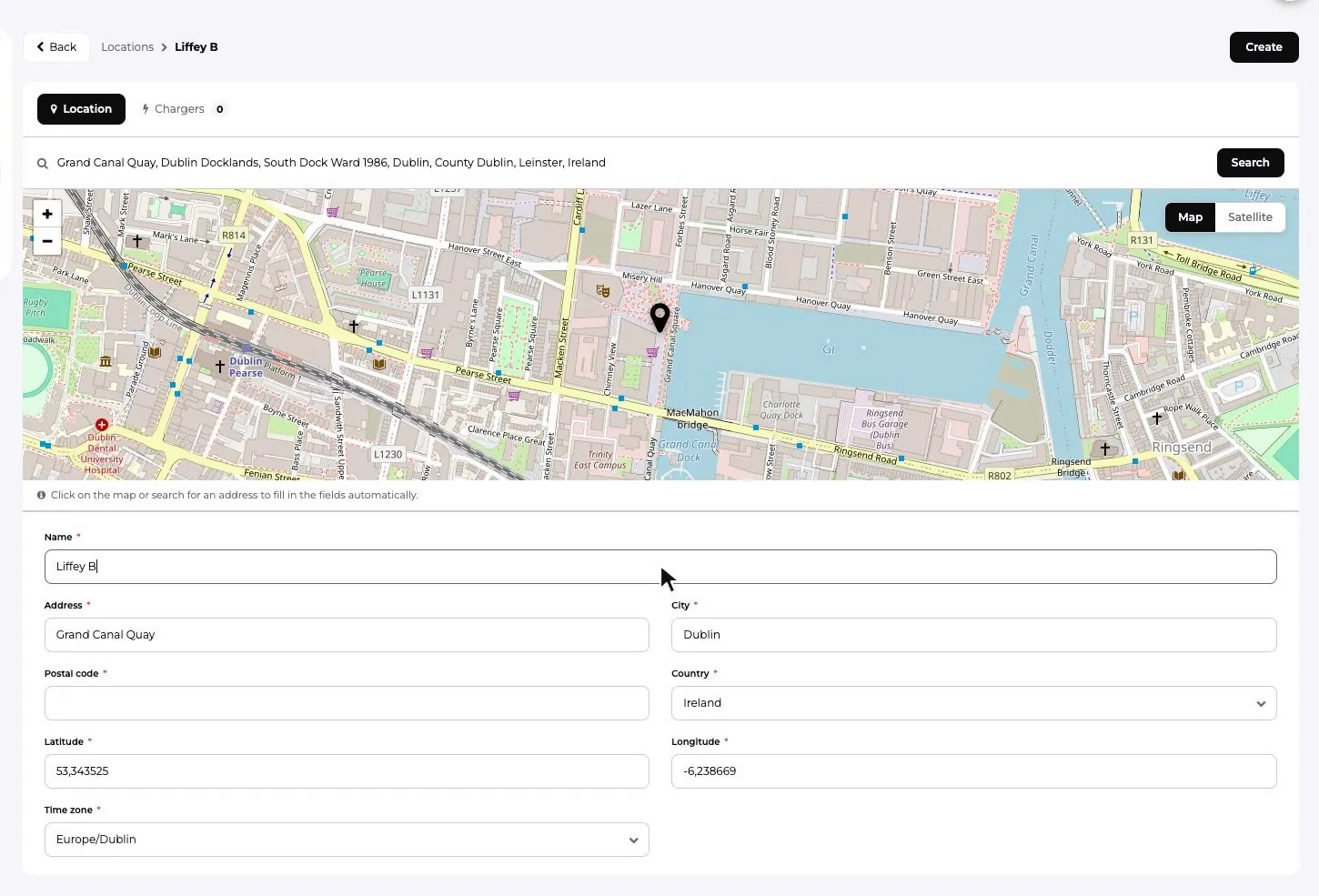
Every charger with V2C Payments now has a location, which you create by searching for the address on a map. We use it to apply the right tax on the user’s invoice: for example, IGIC in the Canary Islands instead of VAT (IVA in Spain), or TVA in France.
When you enable V2C Payments on a charger, the location is mandatory.
Public or private chargers
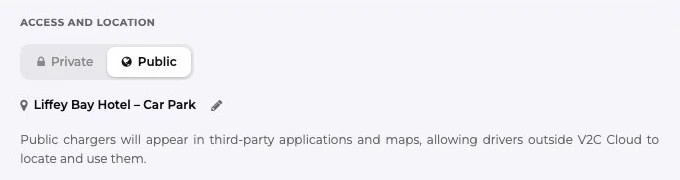
You now decide whether your charger is visible outside V2C Cloud:
- Public: it appears in third-party apps and maps, so that any electric car driver, even if they don’t use V2C Cloud, can find it and charge.
- Private: it doesn’t appear in them.
Transactions and invoices dashboard
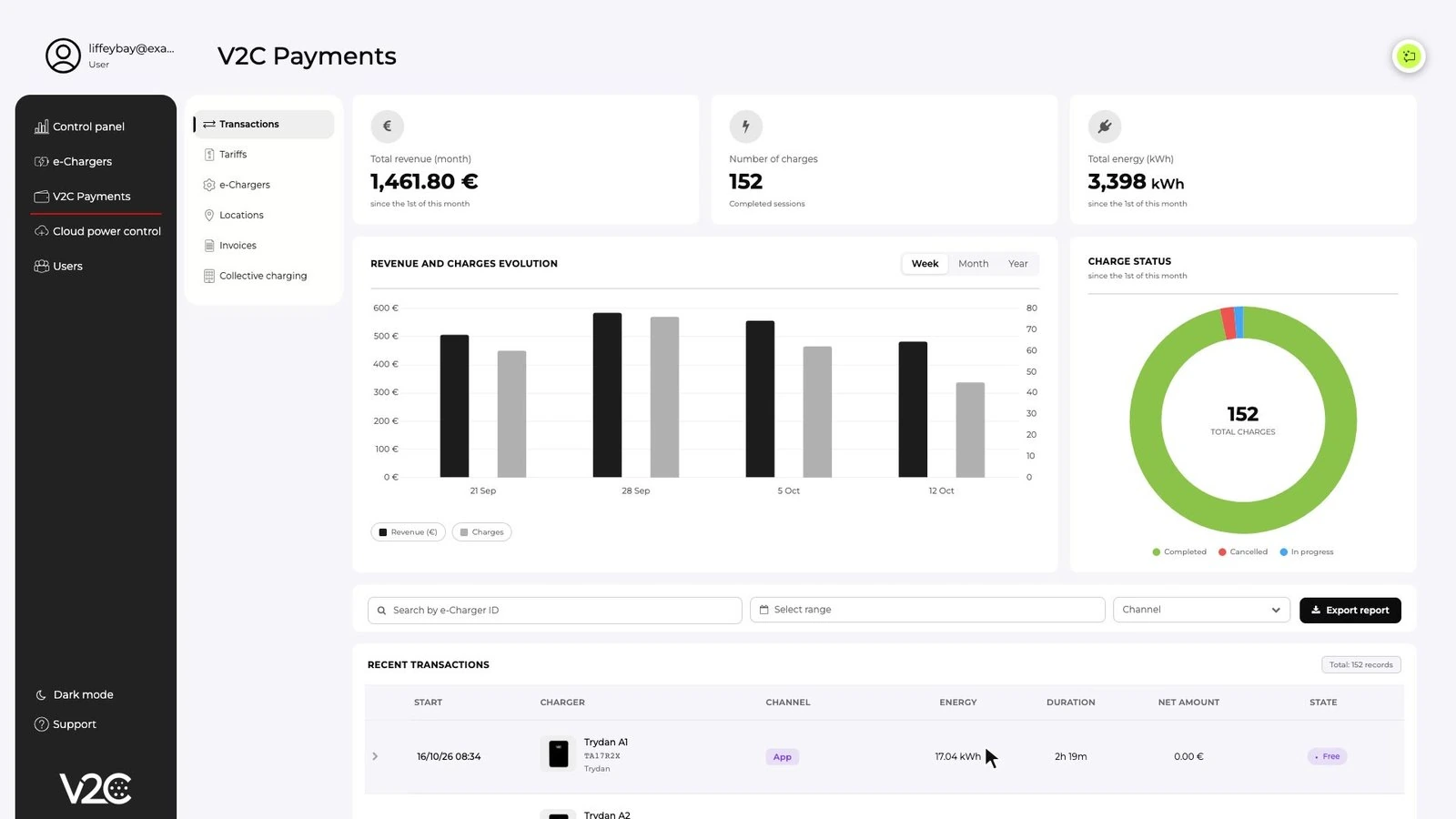
V2C Payments now gives you a complete view of your activity:
- Monthly summary: income, number of charges and energy.
- Trends in income and charges, plus charge status.
- Details of every transaction, with the tariff applied and how the amount was calculated.
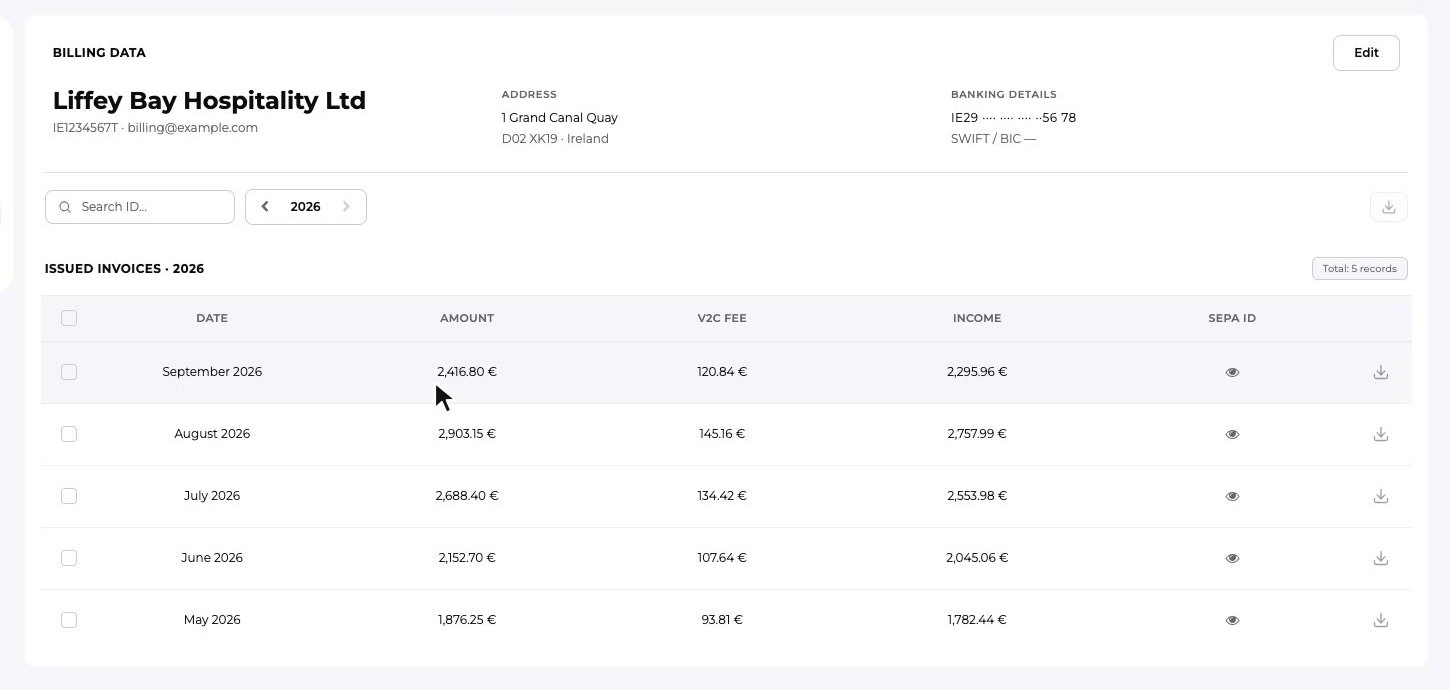
- Monthly invoices you can download as PDF, with the ID of the SEPA transfer V2C uses to pay you the month’s income.
Collective charging
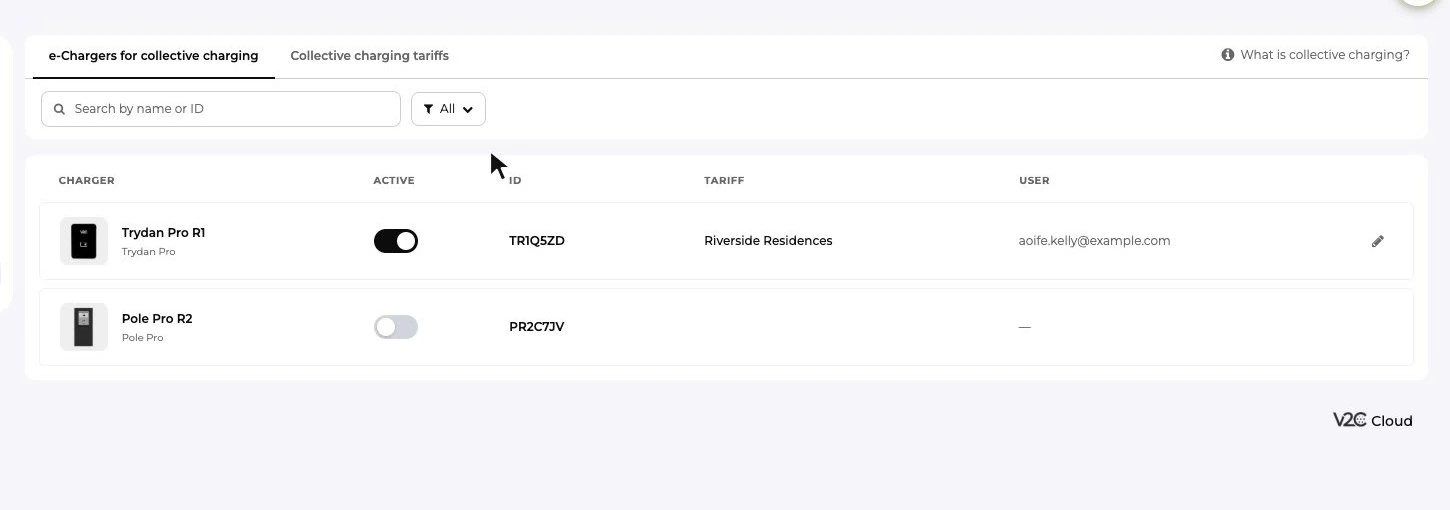
Collective charging is designed for property managers: residential garages with a single meter for all residents. It works separately from the rest of V2C Payments and has its own per-kWh tariffs, with an optional fixed monthly fee per user.
Setting it up is easy: you activate the charger, choose the tariff and share a link with the resident, who becomes a co-owner. From the V2C app, they’ll be able to lock and unlock the charger, schedule charges and check their consumption.
Already using V2C Payments? Two details we need
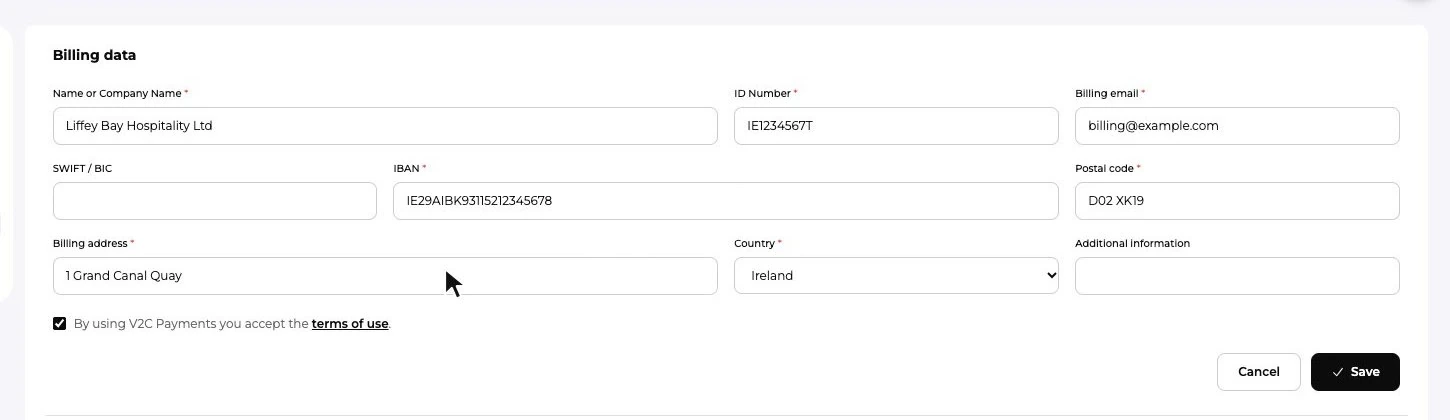
- Complete your billing data with your postcode and country (V2C Payments › Invoices › Billing data › Edit), so we can issue your monthly invoices with the right VAT.
- Add a location to each charger with V2C Payments (V2C Payments › Locations), so the right tax is applied to your users.
Your chargers keep working just as before. Everything is set up from the desktop version of V2C Cloud, on your computer.
We keep improving
This new version of V2C Payments is one more step. At V2C we keep improving our solutions and adding new features based on what our customers ask for, so getting the most out of your chargers keeps getting easier. We’ll keep you posted on what’s coming next.