
Integration of the ZCS Azzurro inverter with Trydan/Trydan Pro
The ZCS Azzurro inverters can be integrated with the Trydan or Trydan Pro charger via the Modbus protocol, either through RS485 connection or TCP network. This integration allows both devices to exchange information in real time, achieving more efficient energy management and optimizing the electric vehicle charging process.
The Trydan charger is compatible with a wide range of ZCS Azzurro inverters, including hybrid models (HYD), the 3000–6000 series, as well as single-phase and three-phase inverters, allowing its integration into different types of installations and energy configurations.
Connection methods between Trydan and ZCS Azzurro
There are two main ways to connect the Trydan charger to a ZCS Azzurro inverter:

Modbus RTU Connection (RS485 wired) – Recommended
The connection Modbus RTU allows direct communication via cable, being the most stable and recommended option for fixed installations.
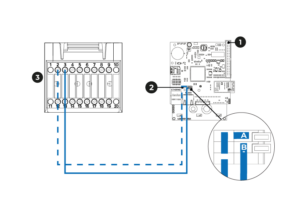


Make the physical connection from the RS485 port of the ZCS Azzurro inverter to the Trydan charger using an RJ45/UTP cable. Connect pin 2 (A/RS485+) and pin 3 (B/RS485-) of the inverter to the corresponding pins on the RS485 cover of Trydan (see diagram).
Once the physical connection is made, scroll down this page to the ‘Mandatory step – Configuration in the V2C Cloud app’ to adjust the necessary parameters to ensure proper operation.

Modbus TCP WiFi connection
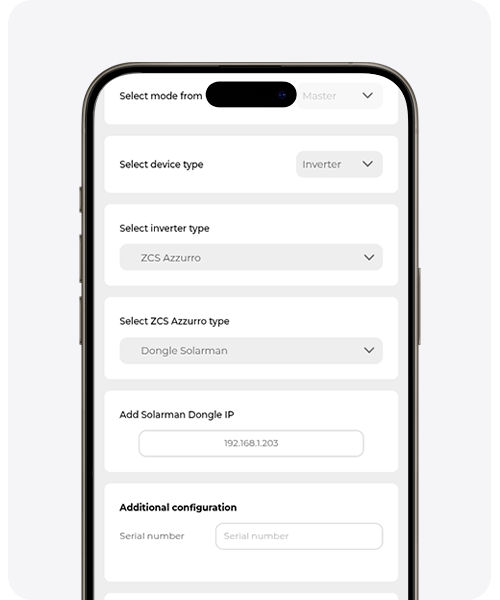
You can use the Modbus TCP option if you have Solarman Stick Logger LSW-3, that connects to the inverter via RS-232, offering connection to it through WiFi (Modbus TCP via Solarman V5 protocol).
The connection to the dongle is made via local WiFi. Both devices must be connected to the same local network.
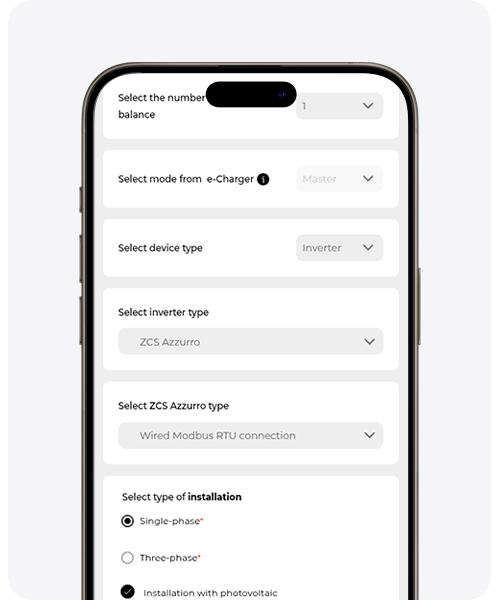
You must specify the Inverter’s IP in the dynamic power control settings in the free V2C Cloud app. To do this, scroll down this page to the ‘Mandatory Step – Configuration in the V2C Cloud app’ to learn how to do it.
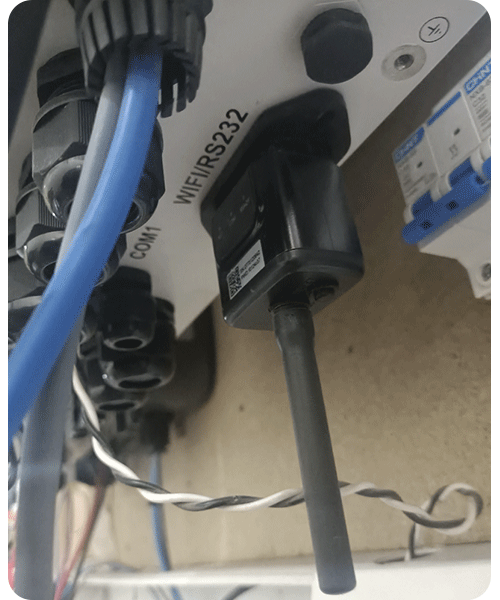
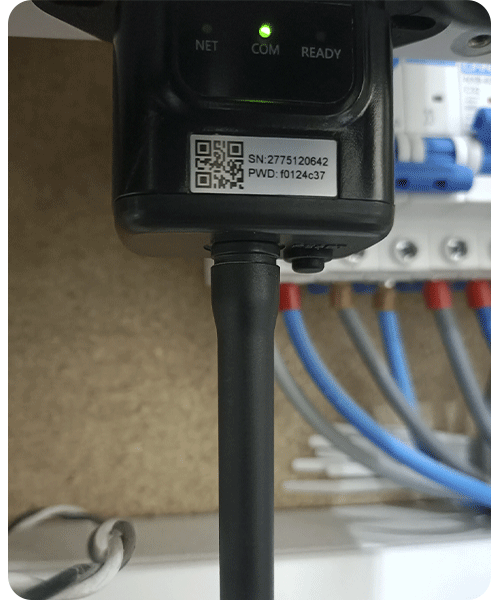
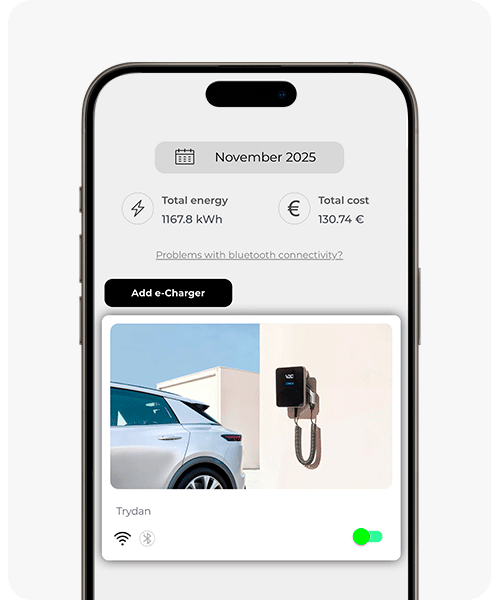
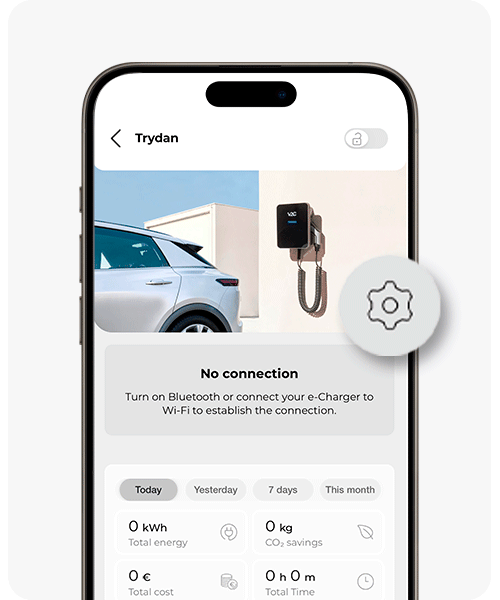
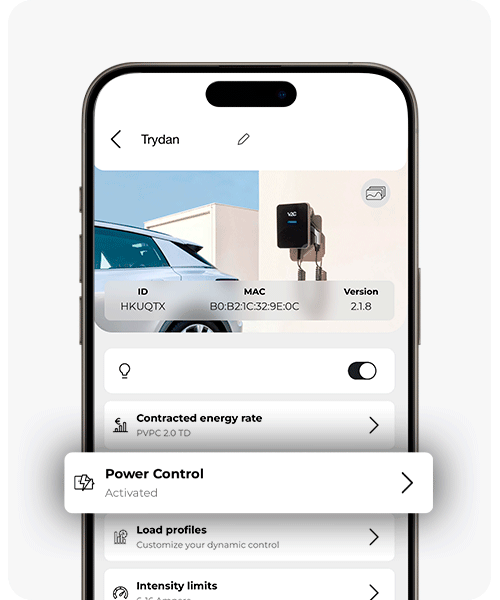
This step is mandatory for both types of connection, both via Wi-Fi and via wired connection.
It is essential to perform the dynamic power control configuration from V2C Cloud (in mobile app or web version) to ensure the proper functioning of the system. Without this configuration, the equipment will not be able to manage the available power properly or optimize the charging.
If you use wired connection, refer to the penultimate image. On the other hand, if you use the connection via dongle, refer to the last image.
If you do not yet have an account on V2C Cloud or have questions about how the app works, you can check this V2C Cloud setup guide.
Need technical support?
Need technical support?