
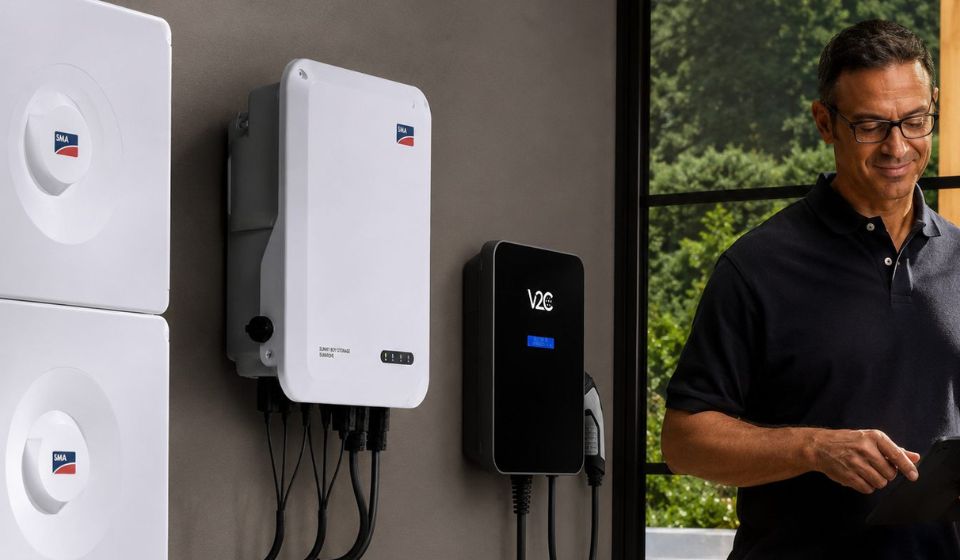
SMA Solar Technology is the most installed inverter brand in Germany. Those who have a Sunny Boy or Sunny Tripower on their roof generate solar power daily, which ideally flows directly into the electric car. In practice, however, this often fails at the wallbox: Many models do not recognize the inverter, charge blindly from the grid, and thus waste the self-generated electricity.
Trydan connects natively with SMA inverters via Modbus TCP. Without additional hardware, without external control. The wallbox reads the real-time data from the inverter and automatically adjusts the charging power to the available solar surplus.
This article shows which SMA models are compatible, how the connection works, and how to charge with real PV surplus in just a few steps.
More information on how to connect a wallbox to the solar system can be found in the detailed overview article.
No inverter with Modbus TCP? Anyone without a compatible inverter, or who’d rather not set up the integration, can run Trydan with a current clamp instead. The clamp measures the energy flow at the home’s mains connection and also enables genuine PV surplus charging.
Table of Contents
SMA and Wallbox: How Does the Connection Work?
Trydan communicates with the SMA inverter via Modbus TCP, an industrial protocol that SMA supports by default in its devices. The connection runs over the home network, with no additional gateway or external server required.
What the wallbox reads from the inverter: PV Generation How much electricity the solar panel is currently producing Grid Feed-In How much of that flows into the grid Household Consumption How much the household consumes itself
From these three values, Trydan calculates in real-time how much electricity is available for charging without increasing grid consumption.
Compatible SMA Models at a Glance
Trydan is compatible with the most common SMA inverter series via Modbus TCP. The following table shows the key models:
| Series | Phases | Power | Modbus TCP |
|---|---|---|---|
| Sunny Boy (SB) | 1-phase | 1.5 – 6.0 kW | Yes |
| Sunny Boy Storage | 1-phase | 2.5 – 6.0 kW | Yes |
| Sunny Tripower (STP) | 3-phase | 3.0 – 25.0 kW | Yes |
| Sunny Tripower CORE1 | 3-phase | 50 – 62.5 kW | Yes |
Note: Modbus TCP must be activated in the SMA inverter. This can be done in the device’s web interface under Settings > External Communication. An update may be required for older firmware versions.
Note: Modbus TCP must be enabled on the SMA inverter. This can be done in the device’s web interface under Settings > External Communication. Older firmware versions may require an update first.
PV Surplus Charging with SMA: How It Works
Trydan continuously reads the data from the SMA inverter and adjusts the charging power in real-time. The goal: To direct as much solar power as possible into the car without drawing electricity from the grid.
A typical example on a summer day:
| Time | PV Generation | Household Consumption | Surplus | Trydan Charges With |
|---|---|---|---|---|
| 10:00 AM | 4.0 kW | 1.2 kW | 2.8 kW | 2.8 kW |
| 12:00 PM | 7.5 kW | 1.5 kW | 6.0 kW | 6.0 kW |
| 4:00 PM | 2.5 kW | 2.0 kW | 0.5 kW | Charging Paused |
As soon as the surplus falls below the configurable minimum limit, Trydan automatically pauses the charging process. If solar production increases again, charging resumes without manual intervention.
The minimum charging power can be individually set in the Trydan app. If you want to charge even with low surplus, you can allow a grid consumption share that can be defined via the app.
Step by Step: Connecting SMA Inverter with Trydan
The setup usually takes less than 10 minutes and does not require a technician.
1. Activate Modbus TCP in the SMA Inverter Open the web interface of the inverter via the browser (IP address in the home network). Navigate to Settings > External Communication and activate Modbus TCP. Default port: 502.
2. Note the IP address of the inverter The IP address is displayed in the web interface. A fixed (static) IP address in the router is recommended to keep the connection stable.
3. Connect Trydan to the home network Download the Trydan app and connect the wallbox via Wi-Fi to the same network as the inverter.
4. Select SMA as the inverter in the app Under Settings > Inverter, select SMA from the list, enter the IP address, and confirm the connection.
5. Configure charging mode Select PV surplus charging as the default mode. From this moment on, Trydan will automatically charge with the available solar surplus from your SMA inverter.
MODBUS TCP (DIRECT CONNECTION)
Stable connection
Wireless connection over the local network between Trydan and the SMA inverter, with no extra hardware.
CURRENT CLAMP (ALTERNATIVE)
Works with any inverter brand
Works independently of the inverter, ideal with older firmware versions or network limitations.
In Summary
Trydan is compatible with common SMA inverters via Modbus TCP, enabling real PV surplus charging, alternatively also via a current clamp at the house connection without inverter integration.
FAQs
Trydan by V2C is the wallbox that is compatible with SMA inverters, such as Sunny Boy and Sunny Tripower. The connection runs via Modbus TCP, without additional hardware and without external control.
Trydan is compatible with the common SMA series that support Modbus TCP: Sunny Boy, Sunny Boy Storage, and Sunny Tripower. The requirement is that Modbus TCP is activated in the device and that the wallbox and inverter are on the same home network.
No. Trydan connects directly via Wi-Fi with the SMA inverter. No gateway, additional energy meter, or external control unit is necessary.
Trydan automatically pauses the charging process. Alternatively, a grid consumption share can be defined in the app, allowing the car to continue charging even in cloudy weather, but partially from the grid.
Yes. If you do not have a compatible inverter, you can operate Trydan with the included current clamp. The clamp measures the energy flow at the house connection and also enables PV surplus charging without direct access to the inverter.
Structured Data: FAQPage (JSON-LD)
Purpose: Citing capability in ChatGPT, Google AI Overviews,
Perplexity, Gemini. Part of the GEO/AEO strategy (Lever 1).
========================================================== –>