
Update to the latest version of Alva
We constantly work to improve the functionalities of our products. That’s why, to achieve new features and optimal performance, you should ensure that your products are updated with the latest firmware.
If during the update the e-Charger gets ‘stuck’ on any screen or does not respond, it is advisable to restart the device and repeat the steps again.
Update Alva from the V2C Cloud app
When your e-Charger has a stable Internet connection, you can update it directly from V2C Cloud, available in web and mobile app versions.
Follow these three simple steps:

Select the charger you want to update.

Access the ‘Settings’ menu and check the current firmware version.

Scroll to the bottom of the menu and click on ‘Update firmware’.
* If the ‘Update firmware’ button does not appear at the bottom of the screen, it means that your charger already has the latest version.
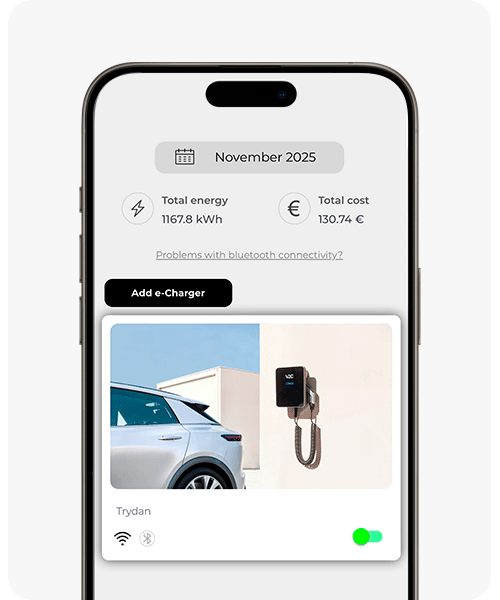
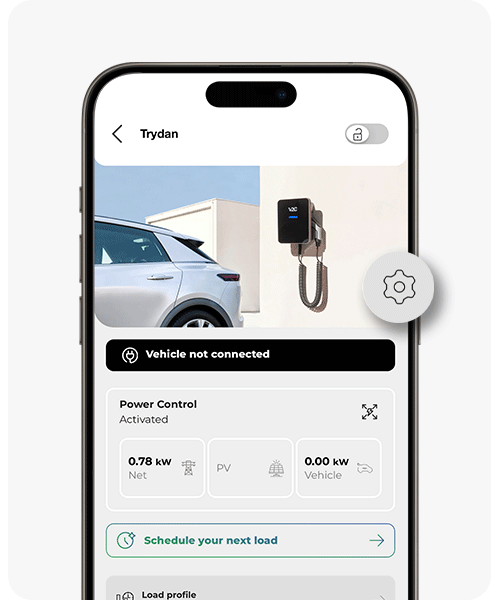
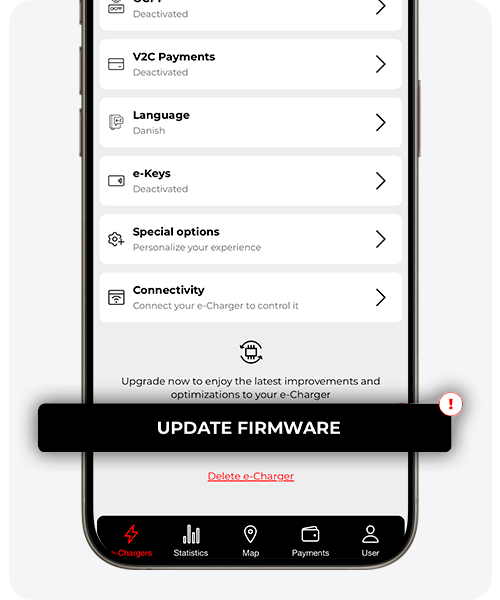

Don’t have the app installed, your account created, or your e-Charger added yet? Before proceeding with the update, check our complete V2C Cloud guide.
Do you need technical support?
Resolve your issue instantly through our AI Chat. If it is not resolved, generate a request in the Technical Support Center and we will contact you as soon as possible to provide you with the best solution.