
User manual for Trydan
The V2C team thanks you for choosing Trydan, an e-Charger equipped with the latest technology to offer you the smartest charging experience. Refer to this user manual to fully enjoy all the potential of Trydan.

This manual is subject to change without notice. The images shown below are representative and may differ from actual products.
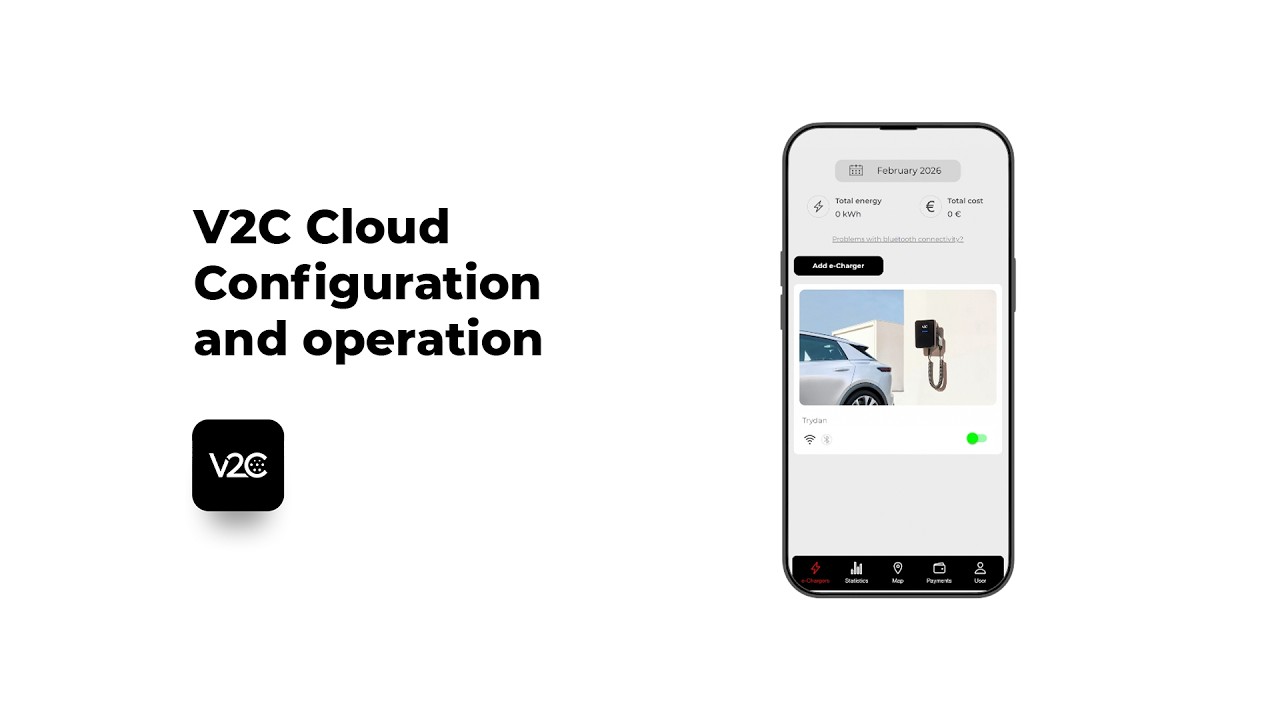
Configure your charger settings via the V2C Cloud app
Adjust the necessary parameters to ensure the proper operation of your e-Charger using the free V2C Cloud app.
Watch the video below to learn how to set current limits, activate and customise power control, or schedule charging during the most economical hours, ensuring an optimal experience and maximum energy efficiency.
General features

e-Charger
Trydan

Color
⚫ Black

Material
Polycarbonate MVR

Hose length
5m / 10m

Weight
7 kg

Hose type
Smooth / Coil

Operating
temperature
-25ºC a 50º
Storage
temperature
-40ºC a 70º

Display
Yes

Illumination according to charge status
Hose placement and removal
Hose placement
- Insert the hose into the support, leaving a small space at the bottom so that it does not hit the integrated locking clip.
- Slide the hose down to secure it in the integrated locking clip.
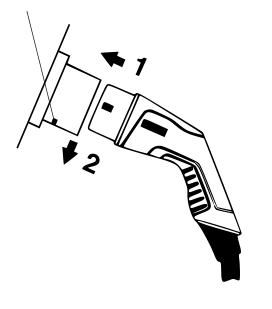
Hose removal
- Slide the hose up to release it from the locking clip.
- Pull the hose out of the support.

Navigation menu interface
Trydan has two buttons on the upper left side, as shown in the image. These buttons allow you to configure various parameters, providing an alternative to using the V2C Cloud platform.
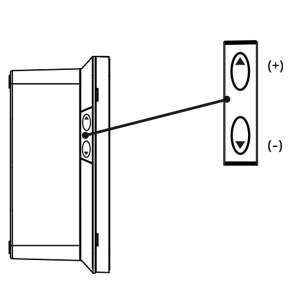
To access the configuration, press both buttons simultaneously for 4 to 5 seconds.
The upper button is assigned to advance (+) and the lower button to retreat (-).
There are 3 main configuration categories: System, Additional, and Installation.
Switch between categories > Any button with a short press
Enter a specific category > Long press on the upper button
Switch between parameters within the category > Short presses
Access and modify a parameter > Long press on the upper button
Modify the parameter > Short presses
Save the configuration > Long press on either button
Product number composition
TRY32-1-L5-P-S
| Model | TRY | |
| Current | 32 | |
| Network type | Single-phase | 1 |
| Three-phase | 3 | |
| Hose type | Smooth 5m | L5 |
| Smooth 10 m | L10 | |
| Coil | M | |
| Socket | S | |
| Protections | P | |
| Schuko | SC | |
| Accessories | Leakage detector | V2C – F |
| Remote control | V2C – R | |
| Cable reel support | V2C – SOP | |
| Stainless steel pedestal | V2C – PED | |



Safety warnings
Electrical Hazard! Installation, initial startup, and maintenance of the electric charging station must be carried out exclusively by competent and qualified technical personnel, fully responsible for compliance with installation provisions and existing standards.

V2C carries the CE mark. V2C applies the corresponding declarations of
conformity.

V2C complies with the ROHS directive (2011/65/EC). V2C applies the corresponding declarations of conformity.

Electrical and electronic equipment, as well as their accessories, must be disposed of separately from household waste.
If you have any suggestions to improve our services, please let us know by sending an email to [email protected].
Do you need technical support?
Resolve your issue instantly through our AI Chat. If it is not resolved, submit a request via the Technical Support Centre and we will contact you as soon as possible to provide the best solution.